EasyManua.ls Logo

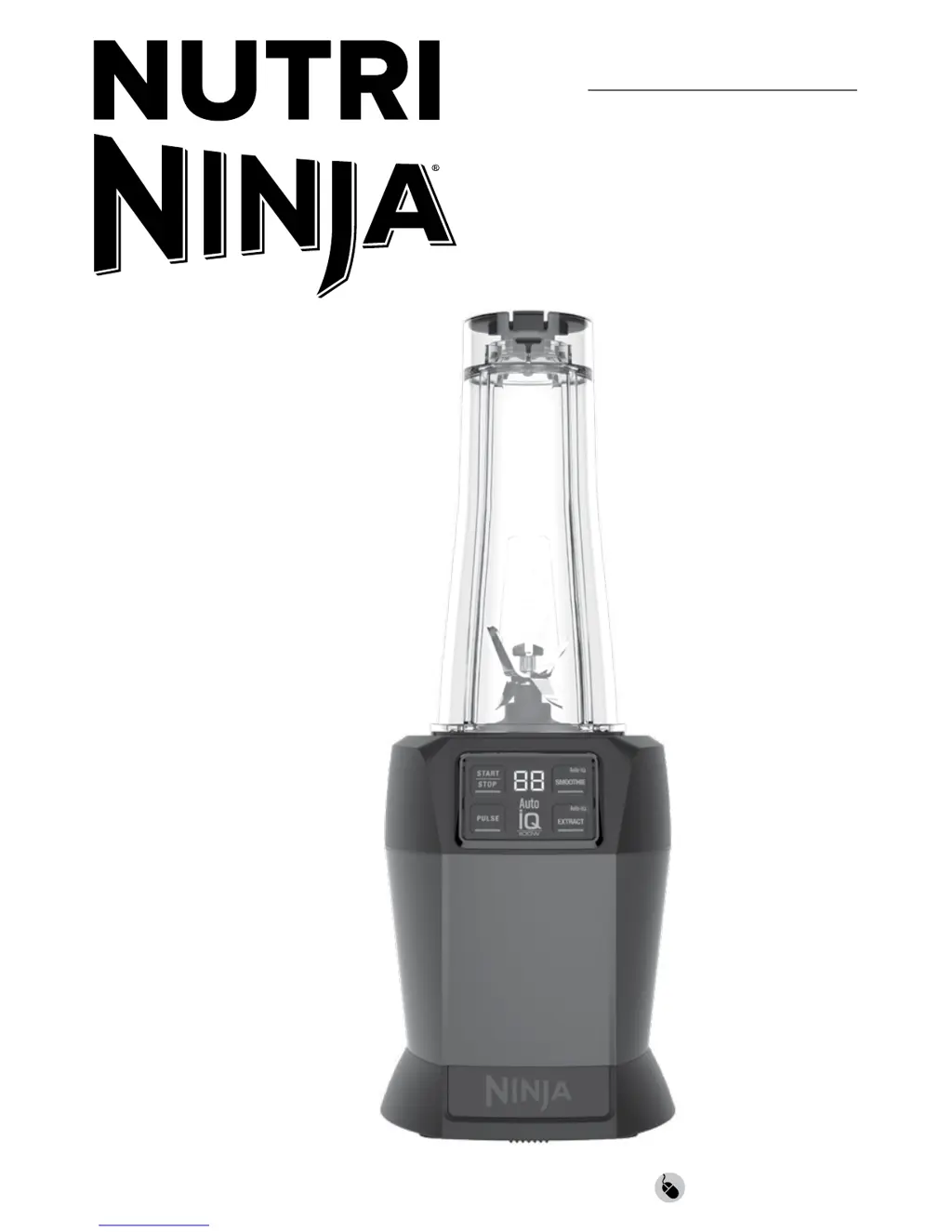
Nutri Ninja BL580 - User Manual

Nutri Ninja BL580
11 pages
Print Icon
To Next Page IconTo Next Page
Loading...
ninjakitchen.com
BL580
OWNER’S GUIDE
With
FRESHVAC
Technology

Questions and Answers

  • C
    caitlinwoodAug 17, 2025
    What to do if my Nutri Ninja Blender doesn't turn on?
    • S
      Sarah BryanAug 17, 2025
      If your Nutri Ninja Blender doesn't turn on, first ensure that it is properly plugged into a working outlet. Also, make sure the cup is correctly placed on the base and rotated clockwise until it clicks securely into place.
  • M
    Melissa MillerAug 19, 2025
    What to do if my Nutri Ninja BL580 Blender won't turn off?
    • E
      Elijah CraigAug 19, 2025
      If your Nutri Ninja Blender doesn't turn off, remove the cup from the base by rotating it counterclockwise and lifting it. If that doesn't work, unplug the power cord from the outlet.
  • R
    Ryan CummingsAug 22, 2025
    How to fix Nutri Ninja BL580 when it doesn't mix well and ingredients get stuck?
    • A
      Alyssa VelazquezAug 22, 2025
      If your Nutri Ninja Blender isn't mixing well and ingredients are getting stuck, using the pre-set programs can help, as the pulses and pauses allow ingredients to settle towards the blade. Adding some liquid can also improve mixing. When filling the cup, layer ingredients in this order: fresh fruit or veggies, leafy greens or herbs, liquids or yogurt, seeds, powders, or nut butters, and finally ice or frozen ingredients.
  • M
    Megan WalkerAug 25, 2025
    Why won't my Nutri Ninja Blender FreshVac Pump turn on?
    • H
      Heather NormanAug 26, 2025
      If the FreshVac Pump for your Nutri Ninja Blender won’t turn on, ensure that working batteries are correctly installed in the pump and the battery cover is securely in place. If you're using an optional AC adapter, make sure it is manufactured by SharkNinja and that the connector is fully inserted into the pump.
  • S
    Scott CampbellAug 28, 2025
    What to do if Nutri Ninja BL580 Blender FreshVac Pump won’t turn off?
    • Y
      youngjosephAug 28, 2025
      If the FreshVac Pump on your Nutri Ninja Blender won’t turn off, make sure the Pro Extractor Blades Assembly is tightly attached to the cup. Also, ensure the FreshVac Tab on the Flip & Seal Lid is properly installed, and do not remove the tab from the lid.
  • A
    Antonio KennedyAug 30, 2025
    How to remove Pro Extractor Blades from Nutri Ninja BL580 Blender cup?
    • R
      Ricardo MartinAug 30, 2025
      If you can’t remove the Pro Extractor Blades Assembly from the cup of your Nutri Ninja Blender, it may be because the cup is vacuum sealed shut after using the FreshVac Pump. Release the vacuum seal by gently pulling up on the FreshVac Tab.
  • C
    Christopher GardnerSep 2, 2025
    How to make Nutri Ninja Blender motor base stick to the counter?
    • C
      Christina LeonardSep 2, 2025
      If the motor base of your Nutri Ninja Blender won’t stick to the counter or tabletop, make sure both the surface and the suction feet are wiped clean. Note that the suction feet will only stick to smooth surfaces and may not adhere to surfaces like wood, tile, or non-polished finishes.
  • G
    gregory09Sep 5, 2025
    How to remove Nutri Ninja Blender from counter?
    • M
      Mr. Andrew SanchezSep 5, 2025
      If your Nutri Ninja Blender is difficult to remove from the counter for storage, place your hands underneath both sides of the motor base and gently pull the unit up and toward you.
  • Q
    qwardSep 7, 2025
    How to release FreshVac Pump stuck on Nutri Ninja Blender cup?
    • M
      Marcus MarshallSep 8, 2025
      To release the FreshVac Pump from the cup of your Nutri Ninja Blender, press the pump release button (up arrow) and lift up.
  • M
    Michelle QuinnSep 12, 2025
    What do lights mean on Nutri Ninja Blender FreshVac Pump?
    • M
      Michael SmithSep 12, 2025
      The white LED light on the FreshVac Pump of your Nutri Ninja Blender indicates that the pump has been activated and vacuum sealing is in progress. A green LED light indicates that vacuum sealing is complete, and the pump will automatically shut off. A blinking light indicates that the batteries have been loaded incorrectly or need to be replaced.

Summary

Register Your Purchase

Important Safety Precautions

Advice to read instructions carefully and keep for future reference.

Important Safeguards

General Precautions

General safety guidelines and precautions to follow before and during use.

Critical Safety Warnings

Critical warnings to reduce the risk of fire, electric shock, injury, or damage.

Important Safeguards - Continued

General Precautions - Continued

Further general safety guidelines and precautions for appliance operation.

Before First Use

Using the Control Panel

Auto-IQ Programs Explained

Explanation of intelligent pre-set programs for blending specific recipes.

Vacuum Blending with the Single-Serve FreshVac Cup

Vacuum Blending Benefits

Benefits of vacuum blending for improved flavor, color, and texture.

Vacuum Sealing and Blending Process

Detailed steps for preparing, vacuum sealing, and blending using the FreshVac cup.

Vacuum Blending with the Single-Serve FreshVac Cup - Continued

Completing Blend and Releasing Vacuum

Guidance on completing blending and releasing vacuum pressure from the cup.

Care & Maintenance

Troubleshooting Guide

Safety Warning Before Troubleshooting

Essential safety warning before performing any troubleshooting steps.

Troubleshooting Guide - Continued

Nutri Ninja BL580 Specifications

General IconGeneral
Power1200 watts
Jar Capacity72 oz
Blade MaterialStainless steel
Dishwasher SafeYes
ColorBlack/Silver
Speeds3
Pulse TechnologyYes
Weight8.5 lbs

Related product manuals