22 23
BLEND
MODE
The default mode is Blend Mode. When you plug in the
Power Base, you are in Blend Mode.
When you rotate a Vessel clockwise on the Power
Base, the magnetic interlock engages, the GREEN LED
light illuminates and Blend Mode runs for 60 seconds.
The unit stops and the LED light turns off.
HOW IT WORKS
CAUTION:
• Do not run for more than 3 consecutive 1-minute intervals to prevent
overheating of the mixture.
• Friction from the rotating blade when extracting can cause ingredients to heat
and generate internal pressure in the sealed vessel.If the vessel is warm to
touch, allow to cool before carefully opening pointed away from your body.
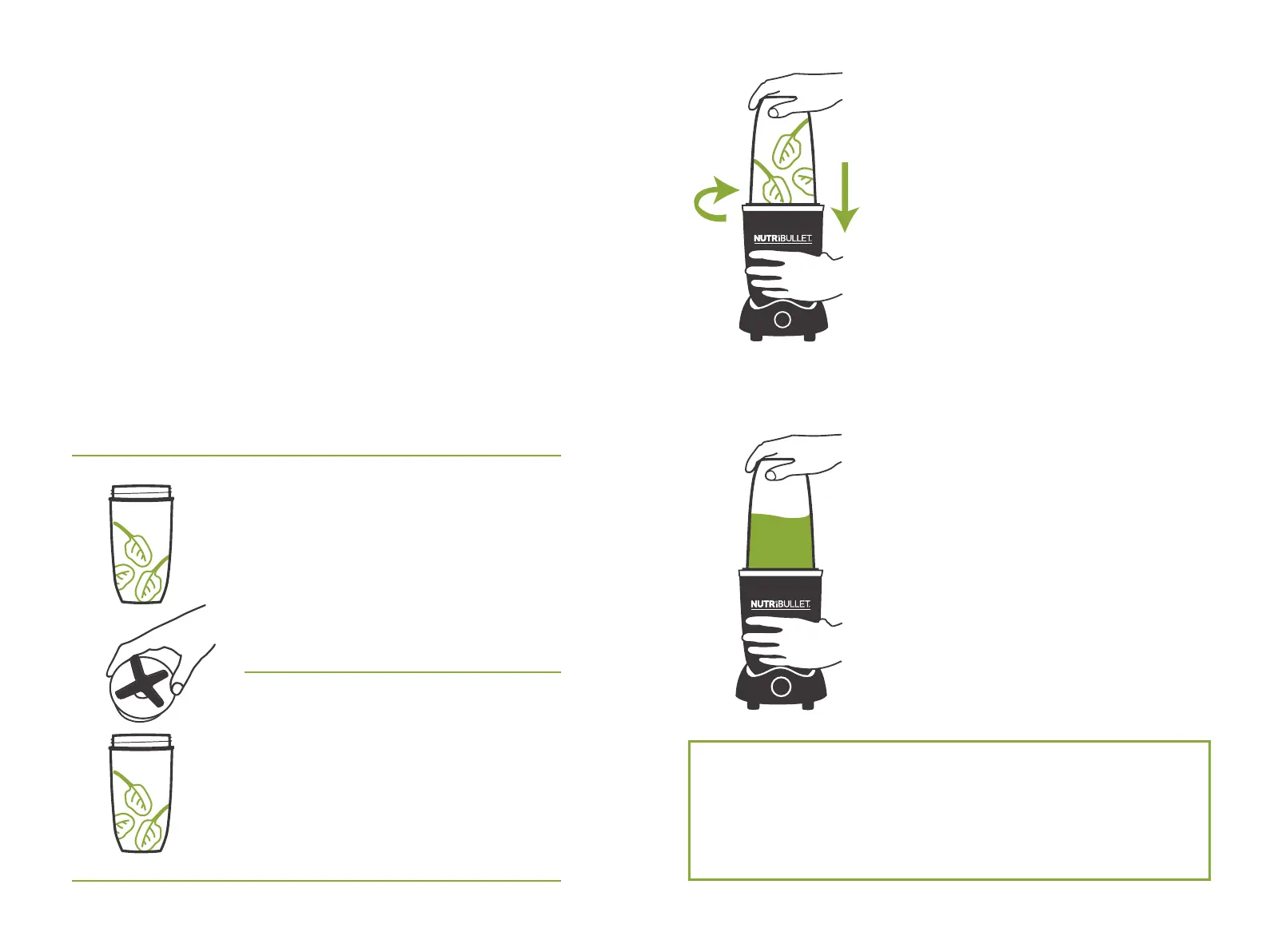
4
Press the vessel blade side-
down onto the Power Base. The
Extraction Process lasts 1 minute.
If more extraction is needed,
wait 1 minute, then repeat the
Extraction Process up to 3 times
as needed to achieve the desired
consistency. If more than three
1-minute extractions are needed,
allow the Power Base to cool
for 2-3 minutes after the third
extraction before beginning the
next round. You can see the
Extraction Process happening.
Keep an eye on the consistency.
Your NutriBlast is ready when it
looks smooth and creamy!
5
To manually stop the Extraction
Process, simply twist the vessel
counter-clockwise to disengage
the magnetic interlock. Once
the Power Base and Blade stop
completely, remove the vessel
from the Power Base.
1
Fill ingredients into the vessel.
2
Add the liquid of your choice up to
the MAX line. (Liquid is required!).
3
Twist the Extractor Blade onto the
vessel and hand tighten to make
sure the vessel has been sealed.
PULSE
PULSE
— MAX —
— MAX —



 To Next Page