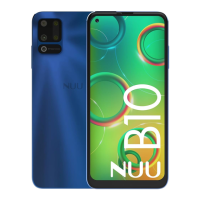
Need help?
Do you have a question about the Nuu A11L and is the answer not in the manual?
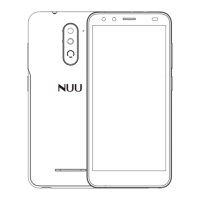
Remove the back cover by prying the lower left corner of your device.
Orient SIM card to match diagram on slot. Supports 4G LTE.
Optional: Insert microSD card. Power off phone and remove battery first.
Align battery contacts and insert battery contact-first.
Align and snap the back cover closed, ensuring a secure fit.
Connect USB Type-C to charge phone or transfer data.
Covers electronic device, medical interference, hearing protection, and usage in hazardous environments.
Guidelines for safe driving, operating environments, and child safety precautions.
Recommendations for using approved accessories and safe battery handling.
Instructions for cleaning, maintenance, and avoiding damage from collision or chemicals.
Information on environmental impact and proper disposal methods for the device.
Covers wireless hands-free use, SAR, call duration, signal quality, and medical implants.
Details on the availability and limitations of emergency call services.
Specific cautions regarding battery charging, heating, and lifespan.
Details on FCC rules, interference, and modifications for device compliance.
Information on specific absorption rates for body-worn operations and accessories.
Details on the device's M and T ratings for hearing aid compatibility.
Instructions and links for registering your device to receive support and tips.
Contact details and hours for customer service and technical assistance.
 General
| Brand | Nuu |
|---|---|
| Model | A11L |
| Category | Cell Phone |
| Language | English |

 To Next Page