Need help?
Do you have a question about the Nuu F3 and is the answer not in the manual?
Guidelines for safe phone operation in specific environments.
Obey road safety laws and use both hands to operate the vehicle.
All wireless phones may be sensitive to interference, affecting performance.
Follow restrictions and turn off the phone near medical equipment.
Follow restrictions; wireless devices can cause interference on aircrafts.
Do not use the phone at/near refueling stations or fuel/chemicals.
Only qualified personnel may install or repair this product.
Use appropriate enhancements and batteries; avoid incompatible products.
Your phone is not water-resistant. Keep it dry.
Remember to make back-up copies of important information.
Read user guides for external devices for safety instructions.
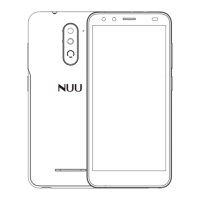
Explanation of the phone's physical keys and their functions.
Instructions for entering letters using the on-screen keypad.
Method for inputting numbers using the keypad or shortcuts.
Process for entering special characters and symbols.
Guide on inserting SIM, memory card, and battery correctly.
Instructions for safely removing SIM, memory card, and battery.
Steps and indicators for charging the phone's battery.
Explains touch gestures like press, long press, slide, and drag.
Step-by-step guide on how to initiate a phone call.
Methods for answering or declining incoming calls.
Information on dialing emergency numbers without a SIM card.
Options to backup and restore phone applications and personal data.
How to access WAP sites and browse the internet.
Functionality of the built-in calculator for simple calculations.
Manage schedules, set alarms, and view daily or monthly events.
Instructions for taking photos and recording videos.
View time, date, set alarms, and use stopwatch/countdown functions.
Check all downloaded applications on the device.
Guide to setting up and managing email accounts and messages.
Access and manage files stored on phone memory and SD card.
Instructions for tuning into and operating the FM radio.
View and manage photos and videos stored on the device.
Create and send SMS, MMS, and multimedia messages.
Play audio files and operate the music player.
Manage contacts, including adding, deleting, and displaying them.
Dial numbers, access call logs, and manage contacts.
Find applications or contacts by entering keywords.
Configure various phone settings and preferences.
Utilize SIM card functions and network provider services.
Record audio files and manage them.
Manage to-do items and mark them as completed.
Play and manage video files on the device.
Connect and use wireless input devices with the phone.
Select and add desired widgets to the idle screen.
Information on approved accessories like batteries and chargers.
Guidelines for battery care and general device maintenance.
Details on weight, battery capacity, networks, and specifications.
Compliance statement regarding FCC rules and interference.
SAR information and guidelines for safe RF exposure during use.
Requirements for body-worn accessories and separation distance.
 General
| Brand | Nuu |
|---|---|
| Model | F3 |
| Category | Cell Phone |
| Language | English |

 To Next Page