Need help?
Do you have a question about the Nuu N5501LAT and is the answer not in the manual?
Instructions on how to open the device by prying the lower left corner.
Steps to align battery contacts and insert the battery contact-first.
Guide to aligning and snapping the back cover closed securely.
Instructions to plug in the microUSB connector to charge the device.
Safety advice for use while driving and in vehicles.
Guidelines for safe handling, charging, and disposal of batteries.
Use only NUU-approved batteries and cables to avoid damage or safety issues.
Precautions against disassembling, short-circuiting, or exposing battery to flames.
Information on RF energy emission limits and SAR values for the device.
 General
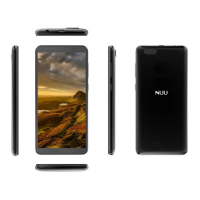
| Model | N5501LAT |
|---|---|
| Category | Cell Phone |
| Wireless Technology | 4G LTE |
| Display Size | 5.5 inches |
| Display Resolution | 720 x 1440 pixels |
| Processor | Quad-core 1.3 GHz |
| RAM | 2 GB |
| Internal Storage | 16 GB |
| Rear Camera | 8 MP |
| Front Camera | 5 MP |
| Battery Capacity | 2500 mAh |
| SIM | Dual SIM (Nano-SIM, dual stand-by) |


 To Next Page