9
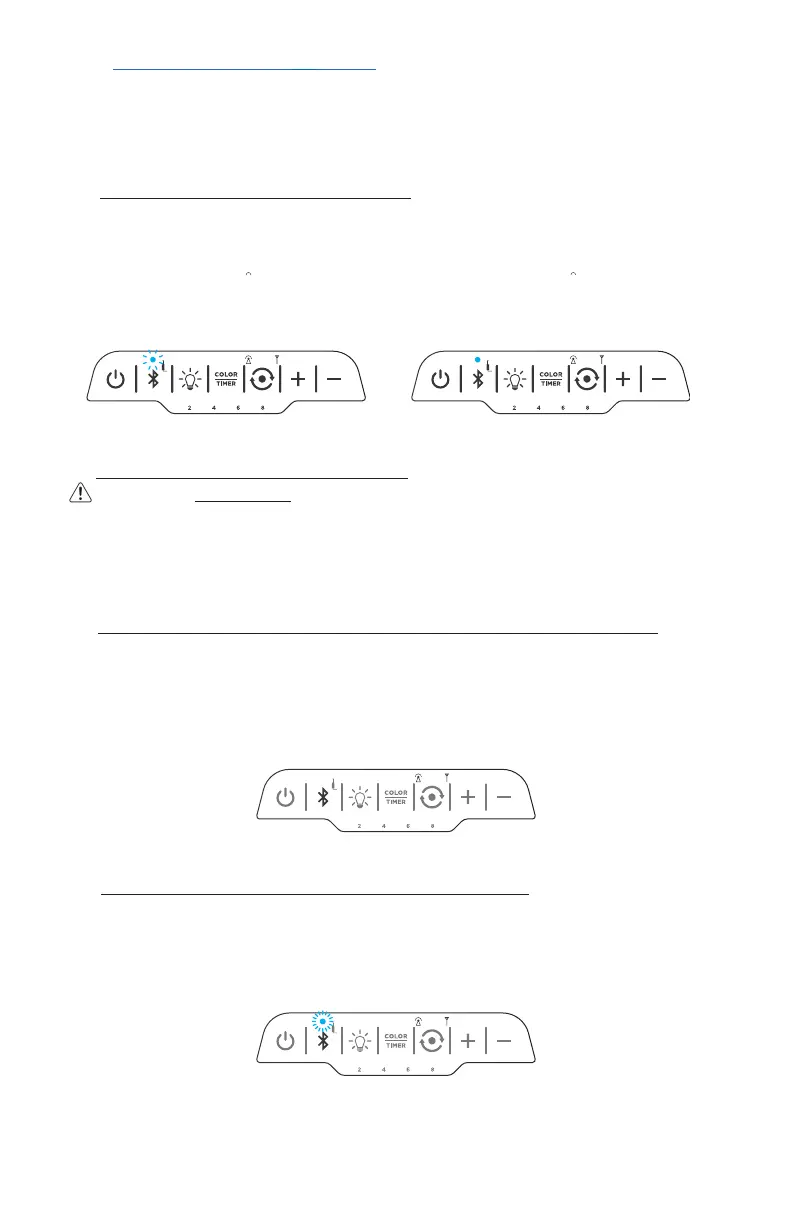
PAIRED
Solid light + chime indicates pairing successful
READY TO PAIR
Fast flash indicates speaker is ready to pair
1. When speaker is powered ON for the first time, speaker enters Bluetooth
pairing mode automatically (approximately 5 seconds after powering speaker ON)
(if Bluetooth light does not flash quickly 5 seconds after powering speaker ON,
press and hold BLUETOOTH button until it starts flashing quickly)
2. Enable Bluetooth in your device settings and select “Nuvelon FLARE”
3. Upon pairing, a chime will sound and the indicator light will remain lit
1. When speaker is powered ON and last connected device is on and within range,
pairing will be established automatically. To pair a new device, follow steps below:
2. Press and hold the BLUETOOTH button until the disconnection chime sounds
and the Bluetooth indicator begins flashing quickly (about 5 seconds)
3. Follow steps 2 - 3 in section A. (ESTABLISHING A NEW PAIRING)
DISCONNECT PAIRED DEVICE
BLUETOOTH WAKE-UP
fast flash indicates wake-up successful
If you cannot pair a device, follow steps in C. above to ensure no other device is paired.
If you experience difficulty with pairing, please contact customer care (SEE PAGE 12)
D. WAKE UP BLUETOOTH FROM SLEEP MODE
To save power, the Bluetooth connection will automatically go into sleep mode if
your device stays out of Bluetooth range for more than 5 minutes.
To reconnect when your device is back within range, press the BLUETOOTH
button to cancel sleep mode and re-establish pairing connection.
B. ESTABLISHING A NEW PAIRING (2 or more synced speakers)
Pair with the first speaker you turned on (transmitting light will be solid- see Page 7.)
Press BLUETOOTH button on first speaker until it flashes quickly, and follow steps
2 - 3 in section A. (ESTABLISHING A NEW PAIRING)
NOTE: After syncing and pairing, when speakers are powered ON again, pairing will
automatically be established with the first speaker, but can take up to 60 seconds
IV. BLUETOOTH PAIRING (speaker must be powered ON,
and Bluetooth must be enabled on your device)
A. ESTABLISHING A NEW PAIRING (single speaker)
C. DISCONNECT A DEVICE AND PAIR WITH A NEW DEVICE
NOTE: BLUETOOTH DEVICE AND SPEAKER SHOULD BE IN CLOSE
PROXIMITY WHEN PAIRING (~3 ft./1m)
chime will sound when device is disconnected


 To Next Page
 Loading...