18 | nuwavenow.com
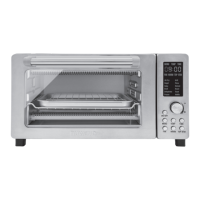
The Bravo is engineered with an automatic shut-off feature to prevent overheating during
use. If the Bravo shuts off to cool itself down, an odor may be detected. Unplug the Bravo
and wait for it to completely cool down. To prevent the Bravo from overheating, do not cook
foods at higher temperatures or longer times than recommended.
The Bravo does not work.
1. The Bravo is not plugged in. User did not press ON/OFF.
2. Insert the plug into an appropriate grounded power socket. Press ON/OFF. If still
not working, contact Customer Service at email: For Amazon Purchases: support@
nuwavenow.com; For All Other Purchases: help@nuwavenow.com.
The door to the Bravo will not close completely.
1. Food item is too large. Oven racks or accessories are not properly set in place.
2. Use smaller amounts of food to cook. Make sure all racks and pans are slid into place
and pushed all the way to the back of the Bravo.
The food is cooked unevenly.
1. Check cooking progress throughout. Turn or rotate as needed to ensure even cooking.
Bake vs. Roast vs. Broil
1. Use Bake when cooking items that rise (e.g., cakes and cookies). Use Roast for dense
foods that are browned throughout the cooking process. Use Broil to quickly brown or
crisp a food item.
The Crumb Tray will not slide back into position.
1. The Crumb Tray is not placed into the slot correctly. Something is blocking the Tray
from sliding into position.
2. Remove the Crumb Tray and clean away any food items that may have accumulated in
the back of the Bravo.
White smoke is coming out of the product.
1. You are cooking greasy foods. The Baking Pan contains greasy residue from previous
uses. When preparing greasy ingredients in the Bravo, large amounts of oil can smoke.
The oil will produce white smoke. This will not affect the final cooking effect. White smoke
is caused by grease heating up on the Cooking Rack, Baking Pan, Baking Rack, or
Crumb Tray.
2. Clean Cooking Rack, Baking Pan, Baking Rack, and Crumb Tray regularly between use.
The display is blank.
1. The Bravo overheated and has shut itself down. No action was taken after certain
stages of cooking and the Bravo shut down. Control panel not working correctly.
2. Unplug the Bravo and allow the Bravo to completely cool. Plug back in and see if it is
working. If the display remains blank, contact Customer Service at email: For Amazon
Purchases: support@nuwavenow.com; For All Other Purchases: help@nuwavenow.
com.
TROUBLESHOOTING GUIDE


 To Next Page