
 To Next Page
J
Jeremy Bowen PhDSep 23, 2025
What to do if Key Struck on NuWave Oven Bravo XL Pro?
- SsaraguerreroSep 23, 2025
Contact Customer Service.

What to do if Key Struck on NuWave Oven Bravo XL Pro?
Contact Customer Service.
Why is my NuWave Bravo XL Pro Oven not heating?
If your NuWave Bravo XL Pro is not heating, ensure it is properly plugged in and has fully cooled down. Start a cooking cycle to check if it reaches the correct temperature. If the unit still doesn't heat up, contact Customer Service.
How to troubleshoot a NuWave Bravo XL Oven that does not work?
If the Bravo XL does not work, insert the plug into an appropriate grounded power socket and press Power. If it's still not working, contact Customer Service.
What to do if NuWave Oven Bravo XL Pro is not heating?
If your NuWave Oven Bravo XL Pro is not heating, first ensure that it is properly plugged in and has completely cooled down. Then, start a cooking cycle to see if the unit heats up to the correct temperature. If the Bravo XL Pro still does not heat, contact Customer Service.
How to fix NuWave Oven Bravo XL Pro that does not work?
If the NuWave Oven Bravo XL Pro does not work, ensure the plug is inserted into an appropriate grounded power socket and press the Power button. If the Bravo XL Pro is still not working, contact Customer Service.
How to fix food fried unevenly in NuWave BRAVO XL PRO Oven?
To fix unevenly fried food in your NuWave Oven, open the oven halfway through cooking and shake or flip your food.
Why is the LED display blank on my NuWave Oven Bravo XL Pro?
If the LED display on your NuWave Oven Bravo XL Pro is blank, the oven may have overheated and shut down to cool off, or a required action was not taken, causing the oven to shut down. It’s also possible that the control panel itself is not working correctly. Unplug the Bravo XL Pro and allow it to cool completely. Then, plug it back in to see if it works. If the screen remains blank, contact Customer Service.
What to do if the crumb tray does not fit in NuWave Bravo XL Pro?
If the Crumb Tray does not fit properly in your NuWave Bravo XL Pro, it may not be correctly placed into the slot, or something may be blocking it. Remove the Crumb Tray and clean away any food items that may have accumulated in the back of the Bravo XL Pro.
What to do if the Crumb Tray doesn't fit in my NuWave Bravo XL Pro Oven?
If the Crumb Tray of your NuWave Bravo XL Pro doesn't fit properly, it might not be correctly placed or something is blocking it. Remove the Crumb Tray and clean away any food items that may have accumulated in the back of the oven.
Why is white smoke coming out of my NuWave Bravo XL Pro Oven?
If white smoke is coming out of your NuWave Bravo XL Pro, it's likely due to cooking greasy foods or residue on the Cooking Rack, Mesh Rack, and/or Grill/Griddle from previous uses. To resolve this, clean the Cooking Rack, Mesh Rack, Grill/Griddle, and Crumb Tray regularly between uses.
Specific safety warnings related to toaster oven operation, including material use and fire risks.
Guidelines for using power supply and extension cords safely to prevent hazards.
Instructions for initial setup, cleaning, and preparation before operating the appliance.
Overview of the control panel's LED display and its cooking function menu descriptions.
Explanation of each button's operation, including ON/OFF, START/PAUSE, Menu, Temp, Time, Probe, and more.
Internal temperatures for various meats and poultry to ensure safe and proper cooking.
Reference for unit conversions and general cooking time guidelines for various temperature ranges.
Detailed instructions for Toast, Broil, Air Fry, and Proof cooking modes.
Instructions for Bake, Roast, Reheat, and Cookie functions.
Guidance on Grill, Pizza, Slow Cook, and Dehydrate functions.
Initial cleaning and preparation steps before operating the appliance for the first time.
Procedures for cleaning the appliance and its parts after every cooking session.
Recommendations for storing the appliance safely and properly when not in use.
Step-by-step guide on how to safely replace the internal light bulb of the oven.
Solutions for common problems like unit not working, door issues, and uneven cooking.
Troubleshooting steps for when the unit does not heat or the LED display remains blank.
Details on error messages like Add Probe, Replace Probe, and sensor errors with their solutions.
Details on what the manufacturer's warranty covers and what is excluded for the product.
Instructions for requesting warranty service, including required information and shipping procedures.
Information on the dispute resolution process, including arbitration and waivers.
Details on opting out of arbitration and California Proposition 65 warnings for product exposure.
 General
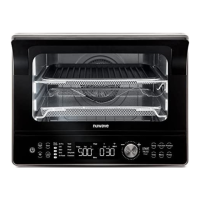
| Type | Convection Oven |
|---|---|
| Weight | 22.5 lbs |
| Wattage | 1800 watts |
| Power | 120V, 60Hz |
| Control Type | Digital |
| Temperature Range | 100°F - 450°F |
| Pre-programmed Settings | 12 |
| Cooking Modes | Air Fry, Bake, Broil, Roast, Dehydrate, Toast |
| Accessories | air fry basket, baking pan |