16 | nuwavenow.com
SLOW COOK
• Default Temp: 165°F
• Default Time: 1 hour
• Temp Range: 275°F-325°F
• Probe: 165°F
• Heat Source: Top/Bottom (50/50)
• Rack Position: 1, 2, or 3
3
4
2
1
Baking Pan
DEHYDRATE
• Default Temp: 100°F
• Default Time: 2 hours
• Temp Range: 90°F-200°F
• Heat Source: Top/Bottom (50/50)
• Rack Position: Any
3
4
2
1
Baking Pan & Broiler
NOTES:
• Flip food or rotate pans halfway through
the cooking cycle.
NOTES:
• Flip food or rotate pans halfway through
the cooking cycle.
• PROBE: The temperature probe and
the Probe function must be used with
the Slow Cook function.
GRILL
• Default Temp: 425°F
• Default Time: 15 min
• Temp Range: 400°F-500°F.
• Heat Source: Top/Bottom (50/50)
• Rack Position: 3 or 4
3
4
2
1
Baking Pan / Broiler Rack
NOTES:
• Flip food or rotate pans halfway through
the cooking cycle.
• PROBE: The temperature probe and
the Probe function can be used with the
Grill function.
PIZZA
• Default Temp: 400°F
• Default Time: 15 min.
• Temp Range: 325°F-500°F.
• Heat Source: Top/Bottom (30/70)
• Rack Position: 1 (For crispier results use
position 1.)
3
4
2
1
Cooking Rack
NOTES:
• Rotate your pizza halfway through the
cooking cycle.
Time
Temp
Preheat
Sear
Probe
Preset
On/Off
Toast
Broil
Bake
Roast
Grill
Pizza
Proof
Air Fry
Reheat
Cookie
Slow Cook
Dehydrate
Sec
PM
%
%
F
C
Temp
Time CurrentPreTarget
Sear
Rack
Level
Menu
Top/BottomWarm
Fan
Light
Time
Temp
Preheat
Sear
Probe
Preset
On/Off
Toast
Broil
Bake
Roast
Grill
Pizza
Proof
Air Fry
Reheat
Cookie
Slow Cook
Dehydrate
Sec
PM
%
%
F
C
Temp
Time CurrentPreTarget
Sear
Rack
Level
Menu
Top/BottomWarm
Fan
Light
3
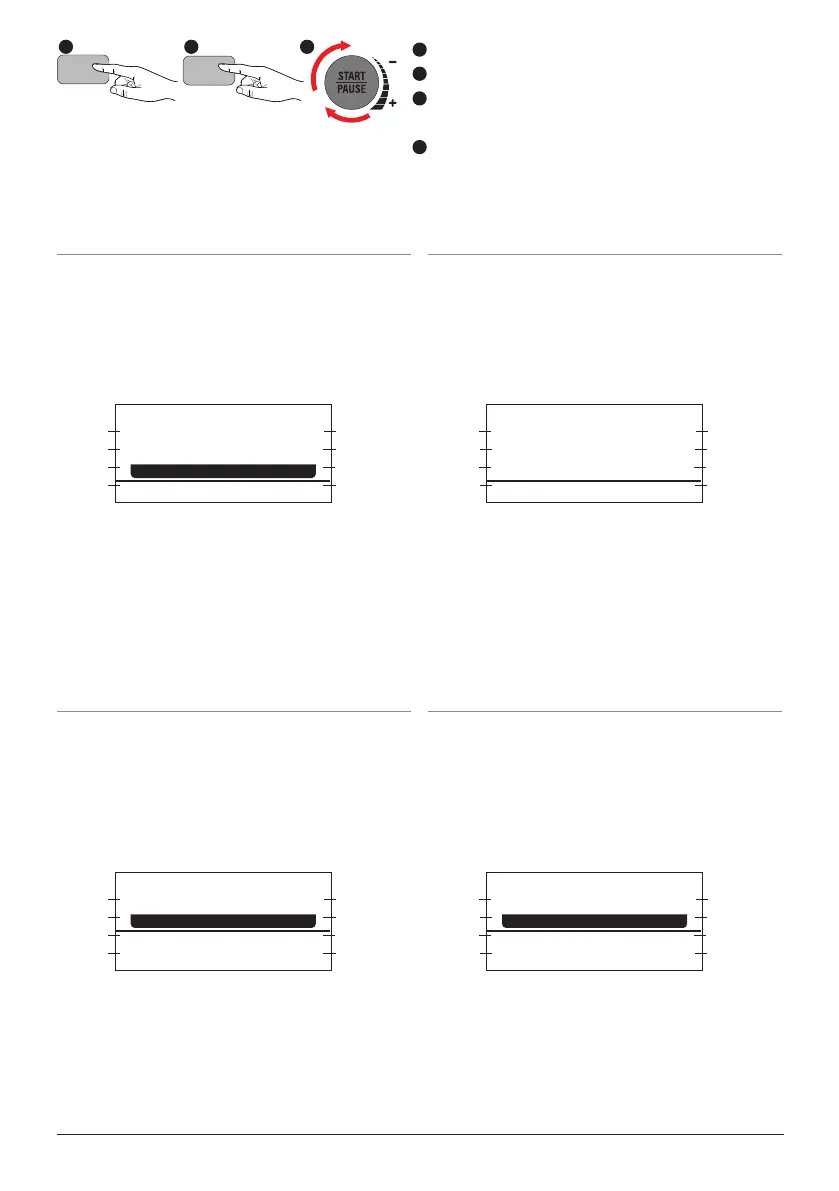
Press the ON/OFF button to turn the unit on.
Press the MENU button.
Turn the START/PAUSE dial to make a Menu
selection
Adjust the settings if desired, then press
START/PAUSE to begin.
2
1
3
4
1 2




 To Next Page