14 | OxyPure Smart
CLEANING & MAINTENANCE
The Pre-Filter collects large particles
and will need to be cleaned at least once
every two months depending on use.
1. Use a vacuum with a brush
attachment.
2. Clean the Filter with warm soapy water.
3. Rinse the Filter thoroughly and
remove any soap particles.
4. Allow the Filter to dry completely
BEFORE placing it back into the
• DO NOT WASH the Ozone
Emission Removal Filter or the
HEPA/Carbon Filter. The Ozone
Emission Removal Filter should
be replaced every 20 years. The
HEPA/Carbon Filter should
be
replaced at least annually, and
possibly more depending on how
often the OxyPure is running and
the environment in which it is
operating.
Cleaning the Filters
To clean the Bio-Guard
™
Filter:
1. Remove the Filter.
2. Spray the Filter with a mild degreaser
and let it sit for 2-3 minutes.
3. Submerge the Filter in warm water,
shake, and remove.
4. Repeat this process until the Filter is
clean.
5. Rinse the Filter with warm water.
6. Dry the Filter completely before use.
To clean the Ozone Emission Removal
Filter:
1. Remove the Filter.
2. Throughly clean the Filter using a
handheld gently brush using a non-
abrasive brush or soft, clean, dry cloth.
3. Repeat this process on the other side.
DO NOT WASH OR DRY WITH A
BLOW DRYER OR OTHER HEAT
SOURCE.
• Clean this Filter outside your home
if possible.
OxyPure (up to 12-24 hours to dry.
Resetting the Filter and Air Quality
Indicators
5. To reset the Air Quality Indicator for
Filter 2, press and hold down TIMER
for 2 seconds until a beep is heard.
• After the filter is cleaned or replaced
and the indicator is reset, the first
green bar around AIR will be lit.
6. To reset the Air Quality Indicator for
Filter 4, press and hold down TURBO
for 2 seconds until a beep is heard.
• After the filter is cleaned or replaced
and the indicator is reset, the first
green bar around ODOR will be lit.
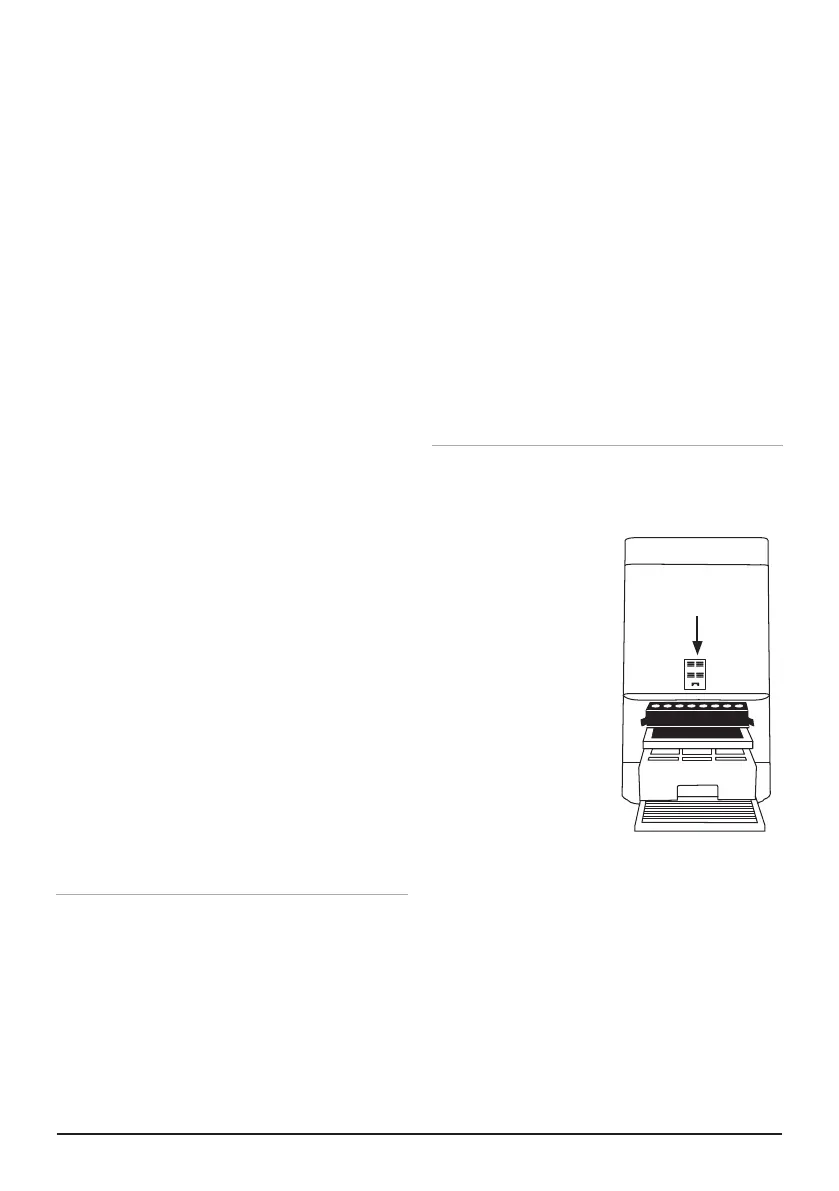
Cleaning the Filter Sensor
The Filter Sensor is located on the back,
above the Filter Slot Cover.
1. Open the panel
(Sensor Cover).
2. Using a dry cotton
swab or small,
soft brush, gently
remove any dirt
or dust from the
Sensor.
3. For heavier
buildup on the
Sensor, wipe it
with a slightly wet
cotton swab.
4. Remove any
moisture with a dry cotton swab.
• The Filter Sensor requires regular
cleaning (approx. every 3 months)
for the OxyPure to operate
efficiently.
• If your OxyPure is set up in an
area with high dust accumulation,
more frequent cleaning of the Filter
Sensor is needed.
• Do not use the cotton swab on any
part or area other than the Filter
Sensor.
Sensor Cover










 To Next Page