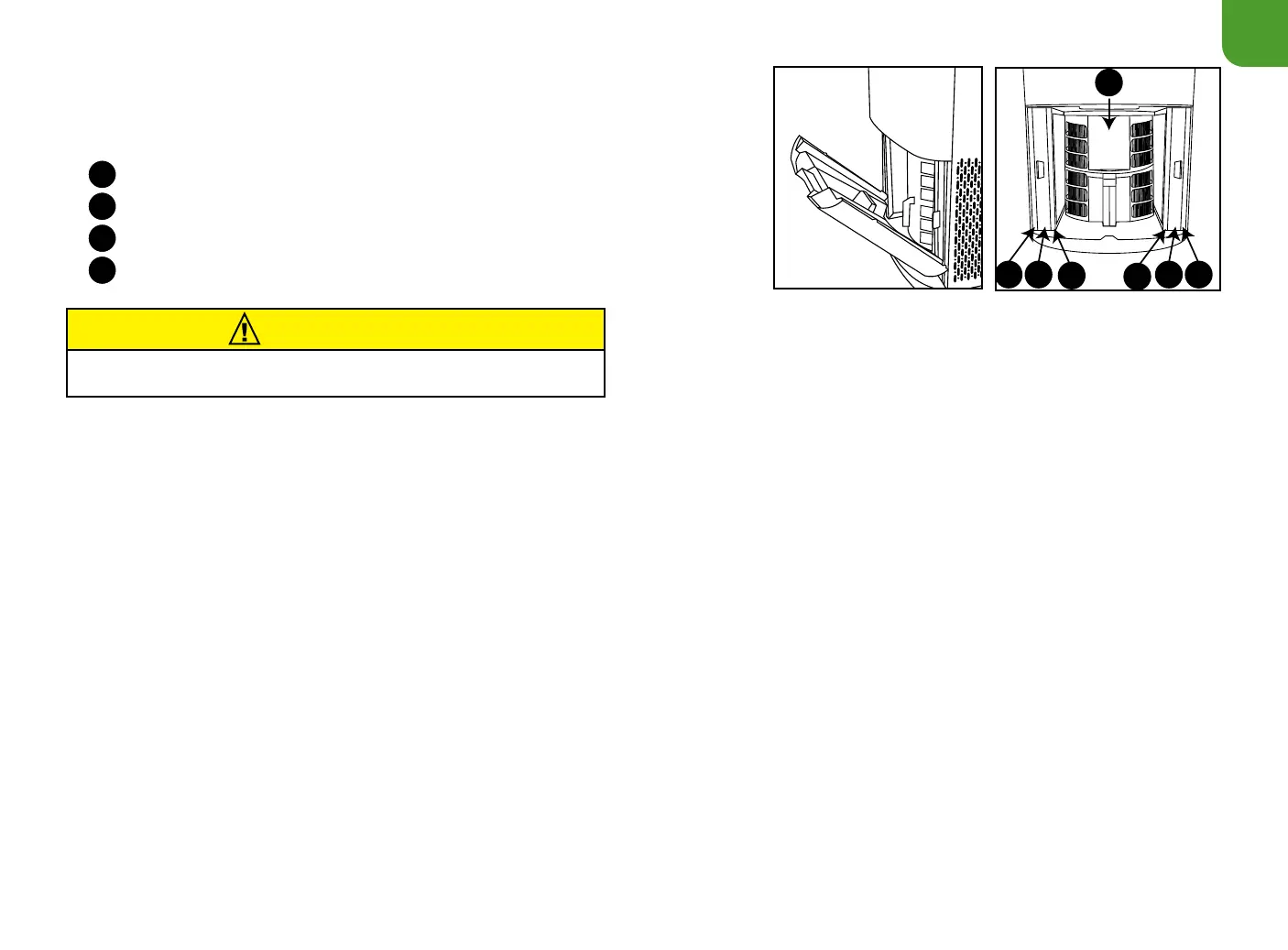
Air Filter Assembly
When maintaining the lters, unplug the unit and open the Filter Access Panel. You will see that
the order of the lters, from the outside in, is as follows:
Stainless-Steel Prefilters
Bio-Guard
®
filters
Ozone Emission Removal filter
Bio-Guard
®
360 filter
4
3
2
1
The OxyPure
®
is easily movable with wheels on the bottom. Before moving your OxyPure, turn it off and unplug it from the outlet. Your settings will be
saved and will automatically activate next time the unit is turned on.
Cleaning & Maintenance
Filter Maintenance Indicator
The FILTER 2 and FILTER 4 lights will turn green in about 3 months to alert you that the Bio-Guard
®
lters SHOULD be cleaned to maintain
optimal performance (NuWave Recommendation). When either light turns red (after about 6 months), that Bio-Guard
®
lter MUST be cleaned.
Once cleaned, press and hold down TIMER until a beep is heard to reset the Clean Filter 2 Indicator. To reset the Clean Filter 4 light, hold the
TURBO button for 2 seconds until a beep is heard. Once the Clean Filter lights are reset, they will go out.
Cleaning the Filters
The lters need to be cleaned on schedule to help the unit maintain optimum performance.
1. Remove the Filter Access Panel in the rear of the OxyPure
®
using its built-in handle.
2. Slide out the lters that need cleaning.
3. Always allow the washable lters to dry completely, out of direct sunlight, before you reinstall them. Never place a wet lter into the OxyPure.
4. Reattach and close the Filter Access Panel. If the panel is not properly closed, the POWER button will blink red and the unit will not power on.
CAUTION
Unplug the OxyPure
®
from the power source before inserting or
removing any parts or attachments and before cleaning.










 To Next Page