12 | nuwavenow.com
OPERATING THE OXYPURE
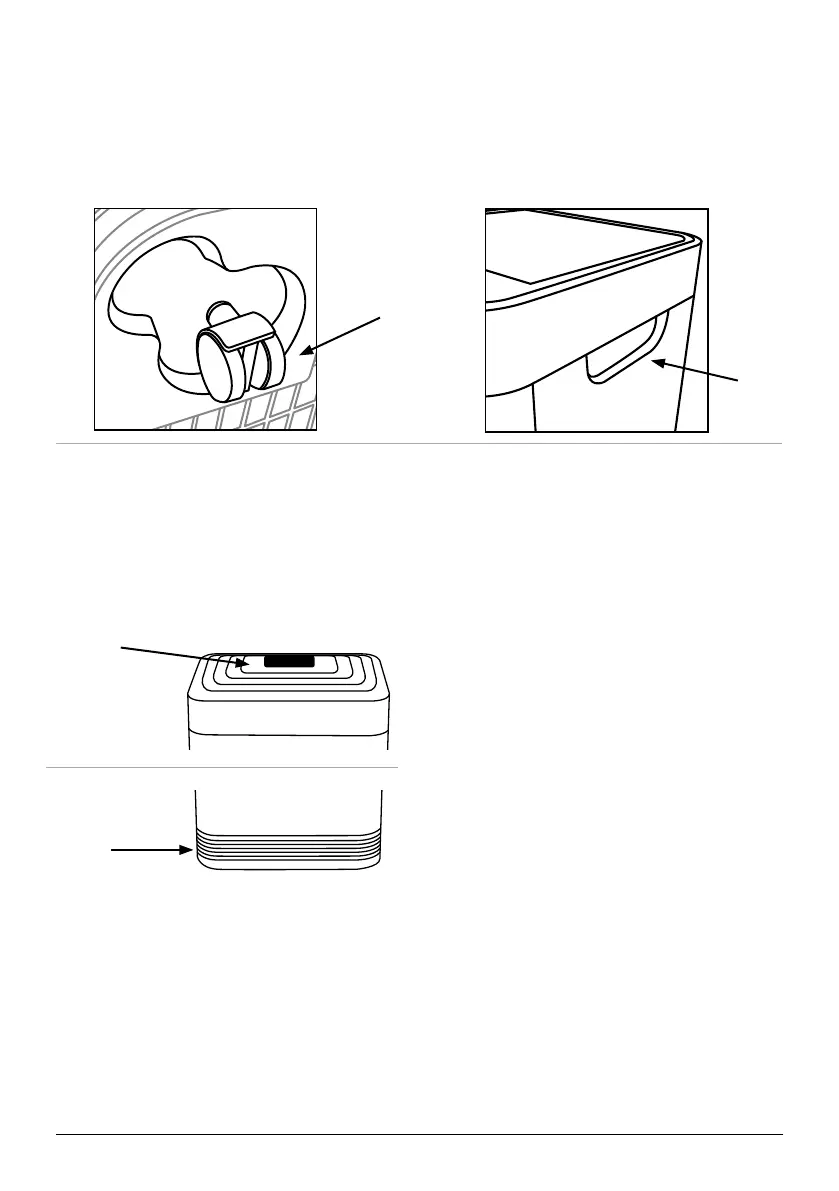
Your OxyPure can easily be moved from one location to another. Just hold the OxyPure
by the handles on each side and roll the OxyPure to the chosen location. The wheels
underneath provide extra maneuverability and mobility whenever it’s needed.
After Use
Your OxyPure should be cleaned
periodically and after excessive use to
ensure proper performance and function.
To clean the outsides of the OxyPure,
use a cloth, paper towel or vacuum brush
attachment to remove dust and other
particles from the vents. Clean tougher
buildup with a damp cloth or paper towel,
then dry thoroughly.
Cleaning the Top Vent and In Flow Vent
1. Turn off and unplug the OxyPure.
2. Use a vacuum with a brush attachment
to remove any dust and debris.
3. If needed, use a slightly wet paper
towel or damp cloth to remove
heavier buildup. Do not use any
harsh abrasives or cleaning pads on
the Top Vent or any other part of the
OxyPure.
Top Vent
TOP
BOTTOM
Handles
Wheels
Inow Vent
Before First Use
Wipe the Top Vent and In Flow Vent with
a slightly damp cloth or paper towel. Dry
thoroughly before use.
Cleaning & Maintenance
Cleaning the Filters
When cleaning filters it is recommended to:
• Wear a mask.
• Wash your hands after cleaning.
• Allow the filters to air dry thoroughly, this can take 12-24 hours.
• NEVER use a heat source such as blow dryers or place by heat vents to dry.










 To Next Page