nuwavenow.com | 9
SAVE THESE
INSTRUCTIONS
OPERATING THE OXYPURE
CONTROL PANEL • POWER • MODES & FUNCTIONS
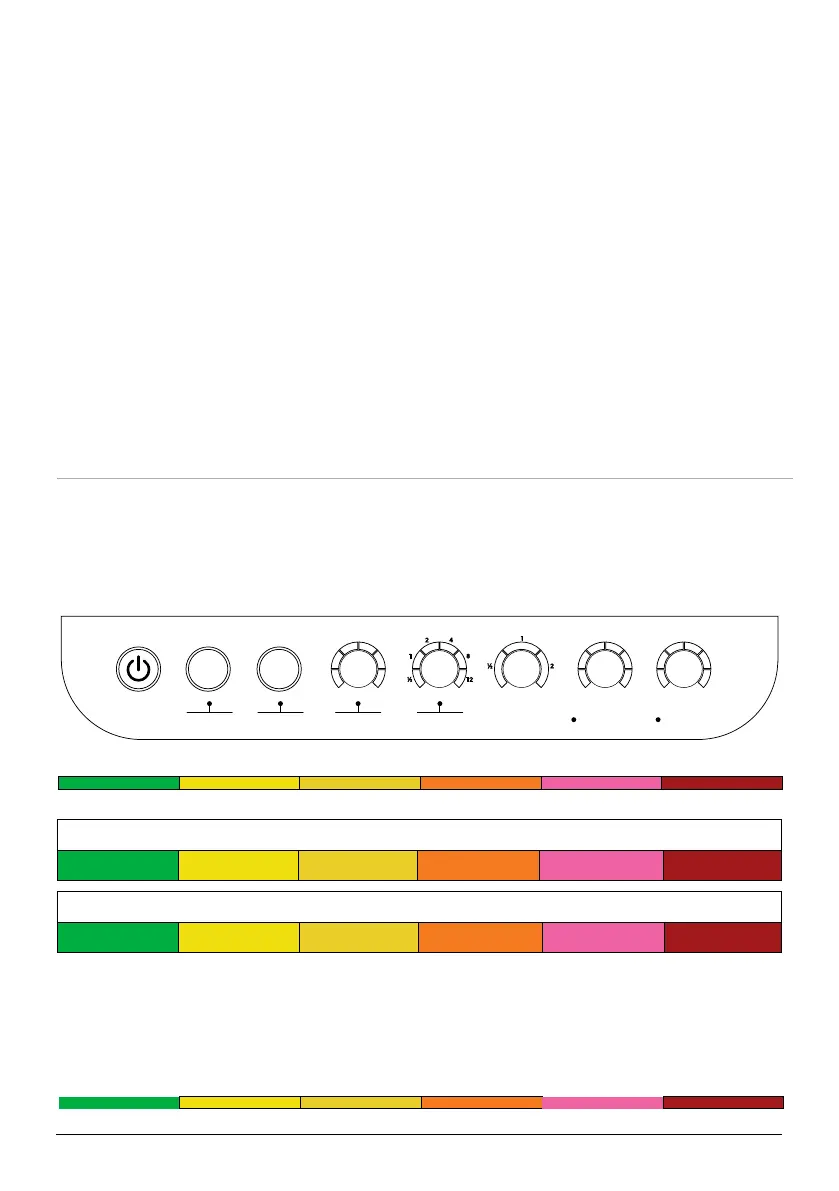
The OxyPure’s control panel allows you to turn the unit on and off, choose an operating
mode or function (see below), and monitor your lter health.
Air/Odor Quality - Detects particles as small as 2.5/1000mm
Low PM Level High PM Level
Particulate Matter (PM) with a diameter of 2.5 microns or less
0~5 5~10 10~20 20~30 30~50 Over 50
Fan Speeds
1 2 3 4 5 6
Air and Odor LEDs
The OxyPure will display the Air/Odor quality based on the particulate matter in the air
from low to high as represented below. If the PM level in the air exceeds the upper limit of
the range, a warning is triggered with a beeping sound and a ashing LED. To turn off this
warning, press AUTO and Fan Speed at the same time. Press the same buttons to turn the
warning feature back on.
Low PM Level High PM Level
AP Mode
1. If you can’t connect your OxyPure
using Auto Scan, follow the instruc-
tions in the app to reset the connection
process.
2. Press and hold AUTO until the Wi-Fi
light begins blinking slowly to enable
AP Mode.
3. Tap the + symbol, then select the
OxyPure unit you want to add to the
network.
4. Conrm that the Wi-Fi light on your
OxyPure is blinking slowly and tap AP
Mode on your phone screen.
5. Connect your phone to the available
hotspot following the instructions on
the screen.
6. Once connected, return to the NuWave
Connect app and the unit will begin
connecting automatically.
7. Once your OxyPure is successfully
connected, tap Done.
EZ Mode
1. Tap the + symbol, then select the
OxyPure unit you want to add to the
network.
2. Enter and conrm your Wi-Fi network
password.
3. Tap AP Mode in the top right of your
screen, then select EZ Mode to switch
pairing modes.
4. Conrm that the Wi-Fi light on your
OxyPure is blinking rapidly.
5. Once the OxyPure is connected, tap
Done.
ODOR
NO
ODOR
STRONG
ODOR
CLEAN FILTER 2/3
AIR
SLEEP MODE
AUTO
ULTIMATE
CLEAN
FAN
SPEED
TIMER TURBO
HR CLEAN DIRTYHRHIGHLOW
WIFI
ECO MODE
WIFI
RESET FILTER
OXY 350 BIO
date name rev #
09/27/23
350BIO
control panel
2
JO
CONTROL PANEL










 To Next Page