10 • NuWave
™
PIC2 Complete Cookbook
• 11
Owner’s Manual
General Operating Instructions:
General Cleaning Instructions:
• Unplug the unit before cleaning.
• Clean after each use.
• Make sure unit has cooled completely prior to cleaning.
• The outer surface may be cleaned by wiping carefully with a damp dishcloth or
sponge.
• Remove the power plug prior to cleaning the NuWave™ PIC2. Do not use caustic
cleaning agents and water should not penetrate the interior of the induction
cooktop.
• Never immerse the NuWave™ PIC2, its cables or plug in water or other liquids.
• Wipe the glass surface with a damp cloth or use a mild, non-abrasive soap
solution. Make sure the unit has cooled completely before cleaning.
• Wipe casing and operating panel with a soft cloth dampened with water or a
mild detergent.
• Do not use oil-based cleansing products as their use may damage plastic parts
or the casing/operating panel.
• Do not use ammable, acidic or alkaline materials or substances near the
NuWave™ PIC2, as this may reduce the service life of the induction cooktop or
pose a re risk when the induction cooktop is in use.
• In order to keep your NuWave™ PIC2 looking like new, take measures to ensure
that the bottom of cookware does not scrape the unit’s glass surface, although a
scratched surface will not impair the use of the induction cooktop.
• Make sure to properly clean the unit before storing it in a cool, dry place.
• Place the cooktop on a stable, level, non-metallic surface.
• Never use the cooktop on a ammable surface (e.g. table cloth, carpet, etc.).
• Do not block the ventilation slots of the induction cooktop. This may cause the unit
to overheat. Maintain a minimum distance of 3-5 inches from walls and other
objects, appliances, etc.
• Do not place devices or objects that are sensitive to magnetic elds on top of or next
to the NuWave™ PIC2 (e.g. credit cards, cell phones, radios, TVs, video
recorders, etc.).
• Do not use the induction cooktop in the proximity of open res, heaters or other heat
sources.
• Ensure that the power cable is not damaged or compressed beneath the induction
cooktop.
• The power cable must not come into contact with sharp edges and/or hot surfaces.
• Prior to connecting the NuWave™ PIC2, conrm that the voltage needs indicated in
this manual correspond to the voltage supply in your home. A wrong connection may
lead to the unit’s damage and possible injury to persons.
• The cooktop’s surface is designed from temperature-resistant glass. In the event
that damage to the unit is observed, even a small crack on the glass surface,
immediately disconnect the NuWave™ PIC2 from the power supply.
IMPORTANT TIPS:
1. Check power outlets to ensure proper operation. Do not use in an outlet
where other major appliances are engaged. Check settings if the unit is
cooking too slowly.
2. The electrical plug must be properly plugged into the outlet.
3. Always turn off and unplug the unit before wiping.
• 11
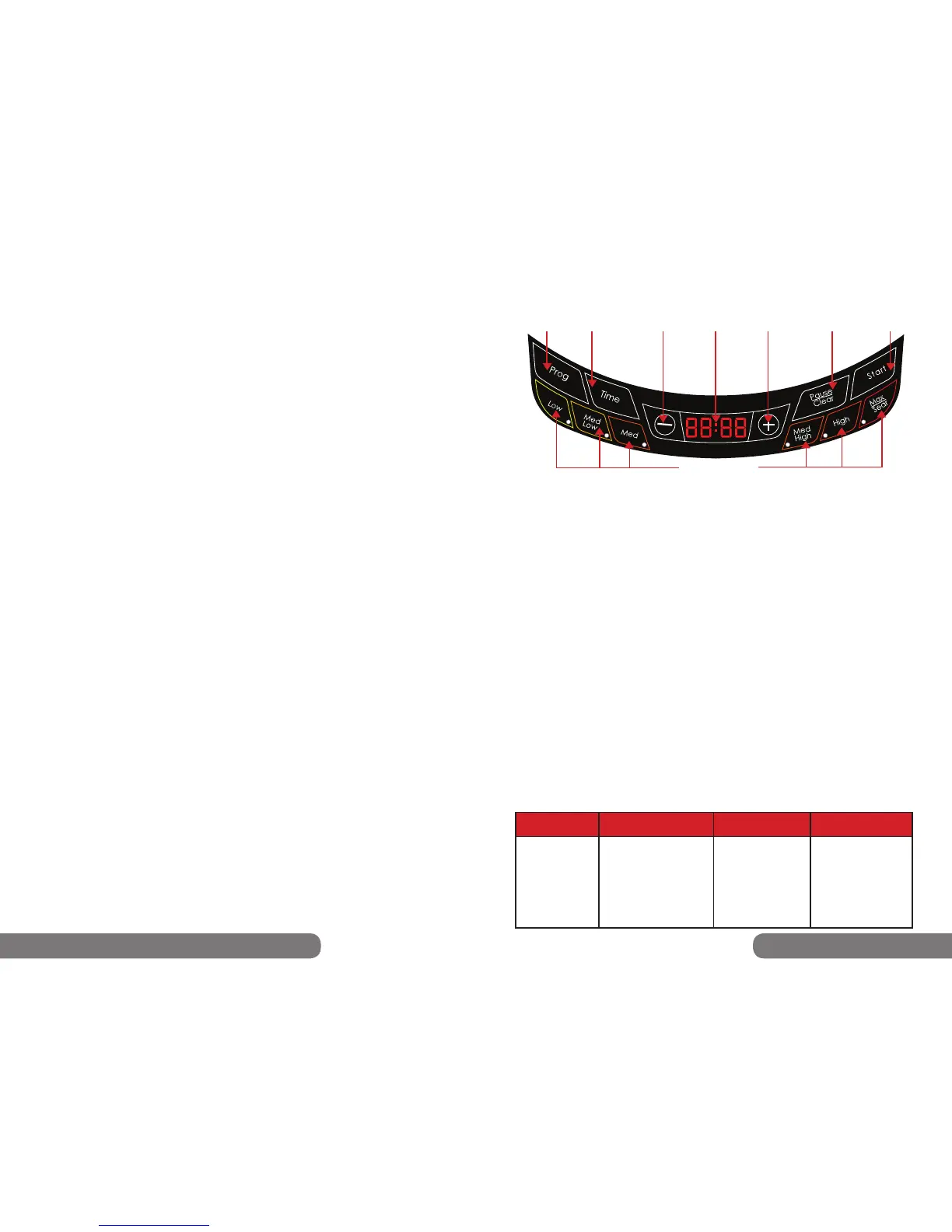
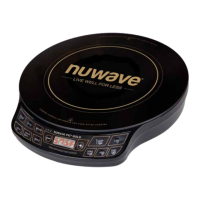
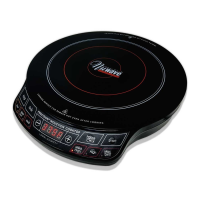
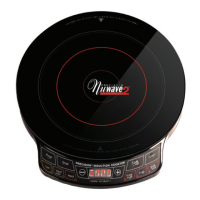
Directions for the Display Panel
Easy Start:
The NuWave™ PIC2 is preset to cook on High (425°F) for 1 hour. To begin cooking, press
“Start” button, after placing an induction-ready pot on the surface. If cooking at a power level
other than “High,” press “Low,” “Max/Sear” or press the “-” or “+” buttons to increase or decrease
temperature in 10°F increments. See the Panel Display Chart on the bottom of this page for
more details.
Control Panel:
“0” should appear when program is clear or power is on.
To Start Cooking:
There are several ways to begin cooking with your NuWave™ PIC2:
• Press “Start.” Default temperature is 425°F and 1 hour cooking.
• Set temperature and press “Start.” Default is 1 hour cooking.
• Set cooking time and press “Start.” Default temperature is 425°F.
• Set temperature and time, then press “Start.”
The NuWave™ PIC2 will automatically stop cooking once time has expired and a “beep” sound
will alert users. The display will always show current temperature during the cooking cycle. To
display time lapse, press “Time” and a countdown will appear, marking the duration before the
cycle or stage is complete.
Setting Temperature:
This appliance is preset to cook on High (425°F). To reset, press temperature key “Low” - “Max/
Sear,” then press “Start.” The temperature range will appear on the display panel. To raise or
lower the temperature in 10°F increments, press the “+” or “-” buttons until desired temperature
is displayed. Refer to chart below for preset temperatures. The minimum is 100°F while the
maximum temperature reaches 575°F.
NOTE: Display temperature represents temperature of 1.5L of oil in the NuWave™ 3.5-quart
Stainless Steel Pot. Thermometer location for test at the origin (middle) of the NuWave™
3.5-quart Stainless Steel Pot and an equidistant length between the pot base and top of the oil.
The NuWave™ PIC2’s LED screen is defaulted to display cooking temperature in Fahrenheit(F).
To switch the display to Celsius(C), press the “Prog” button, followed by “-”. Press “-” again
to convert to Celsius. To return to Fahrenheit, press “-” once more. To close out of the F/C
conversion option, press the “Pause/Clear” button until a “0” appears on the unit’s screen.
Press Button Range Temperature Examples
Low
Med Low
Med
Med High
High
Max/Sear
Warm
Simmer
Steam
Stir/Deep Fry
Boil/Sauté
Boil/Sear
100F/ 38C
175F / 79C
275F / 135C
375F / 191C
425F / 218C
SEAR
Panel Display
Max
Max
P
R
E
C
I
S
I
O
N
I
N
D
U
C
T
I
O
N
C
O
O
K
T
O
P
TM
•
D
I
G
I
T
A
L
A
C
C
U
R
A
C
Y
•
Program
Time
Decrease
LED
Display
Low-Max/Sear
Increase
Pause/Clear
Start
100°F (38°C)
175°F (79°C)
275°F (135°C)
375°F (191°C)
425°F (218°C)
575°F (302°C)


 To Next Page