
 Need help?
Do you have a question about the Nvidia DRIVE AGX and is the answer not in the manual?
Provides basic steps for setting up and running the NVIDIA DRIVE AGX Orin Developer Kit.
Lists and illustrates the hardware components and accessories included with the developer kit.
Illustrates the various connectors supported by the NVIDIA DRIVE AGX Orin developer system.
Lists additional hardware components required for the development system.
Details the different production and sample versions of the NVIDIA DRIVE AGX Orin Developer Kit.
Provides a step-by-step guide to get the NVIDIA DRIVE AGX Developer System up and running.
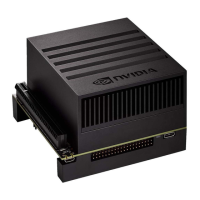
The NVIDIA DRIVE AGX Orin Developer Kit is a sophisticated hardware platform designed to accelerate the development of autonomous driving and robotics applications. This comprehensive kit provides a robust environment for developers to build, test, and deploy AI-powered solutions, leveraging NVIDIA's advanced computing architecture. At its core, the developer kit is equipped with the NVIDIA DRIVE AGX Orin Developer System, which comes pre-installed with NVIDIA DRIVE® OS, a powerful operating system tailored for autonomous machine development.
The primary function of the NVIDIA DRIVE AGX Orin Developer Kit is to serve as a high-performance computing platform for developing and evaluating AI-driven applications in the automotive and robotics sectors. It enables developers to work with complex sensor data, run sophisticated AI models, and simulate real-world scenarios with high fidelity. The system is engineered to handle massive data throughput from multiple cameras and other sensors, making it ideal for perception, planning, and control tasks essential for autonomous systems.
The developer system integrates a broad range of connectors to support various peripherals and communication protocols. These include multiple GMSL1/GMSL2 camera input connectors, essential for connecting high-resolution automotive cameras, and several Ethernet ports (100 MbE, 1 GbE, and 10 GbE) to facilitate high-speed data transfer and network connectivity. The inclusion of both RJ45 and H-MTD Quad/Double Ethernet ports caters to different networking requirements, including automotive-grade Ethernet. USB ports, including Type-A, Micro-B, and Type-C, offer versatile connectivity for host PCs, debugging, and other USB devices. Display outputs, such as DisplayPort, allow for visual feedback and interaction with the system's graphical interface. Audio jacks (microphone, line-in/out) provide capabilities for audio processing and communication. Furthermore, PCIe x8 or two PCIe x4 (Mini-SAS) connectors offer expansion options for additional hardware, enhancing the system's flexibility.
The kit is designed to support a full development workflow, from initial setup and flashing of the operating system to running complex AI workloads. It provides the necessary hardware and software infrastructure for cross-compiling applications, debugging, and monitoring system performance. The pre-installed NVIDIA DRIVE OS simplifies the initial setup process, allowing developers to quickly get started with their projects.
The NVIDIA DRIVE AGX Orin Developer Kit is designed for ease of use, while offering extensive capabilities for advanced development. To begin using the system, developers need to connect the main AC power cable, a Micro-USB cable from an Ubuntu host PC for debugging and console access, and a USB Type-A-to-USB Type-C or USB Type-C-to-USB Type-C cable for flashing the system. An optional DisplayPort monitor can be connected for graphical output, and an Ethernet cable is recommended for internet and networking access.
The initial setup involves connecting the various cables and then powering on the system using the main power switch. Developers are guided through an initial configuration process via a Terminal Emulator on the host PC, where they accept the End User License Agreement (EULA), set up user accounts, and configure SSH profiles and other options. Once these steps are completed, the platform boots into the Ubuntu Desktop, providing a familiar and powerful environment for development.
The kit includes several splitter cables, such as the Quad GMSL FAKRA Camera Splitter Cable, Dual HMT-D Splitter Cable, and Quad HMT-D Splitter Cable, which are crucial for connecting multiple cameras and other sensors, enabling comprehensive sensor fusion applications. The inclusion of a 1 GbE NIC Adapter further enhances networking flexibility.
The system's design emphasizes robust performance and reliability, crucial for automotive applications. The various connectors are clearly labeled on the rear panel, simplifying the connection process. The developer kit is compatible with Ubuntu 18.04 or 20.04 host PCs, providing a widely supported development environment.
Maintaining the NVIDIA DRIVE AGX Orin Developer Kit involves ensuring proper environmental conditions and following recommended practices for software updates and hardware handling. A critical maintenance feature is the attention to airflow and cooling. The developer kit generates heat, and proper ventilation is essential to prevent overheating. The front panel is designed for cool air intake, and hot air exhaust should be allowed to flow freely from the rear panel. When mounting the Developer Kit, it is important to ensure sufficient clearance on all sides to facilitate adequate airflow. Detailed instructions for mounting and airflow considerations are provided in the NVIDIA DRIVE AGX Orin Developer Kit Mechanical and Installation Guide.
Software maintenance is facilitated by the NVIDIA DRIVE OS, which can be updated and re-flashed as needed. The process of flashing the system is supported through the USB Type-C connection to a host PC, allowing for easy updates and recovery. Developers are encouraged to refer to the NVIDIA DRIVE AGX Orin Documentation page for the latest information on software updates, configuration details, and troubleshooting.
Access to up-to-date information and support is provided through the NVIDIA Developer program. Developers are required to join as an NVIDIA Developer and be part of the NVIDIA DRIVE AGX SDK Developer Program to access confidential documentation, software releases, and support resources. This ensures that developers have access to the latest tools and information to maintain their development environment effectively.
The kit's components are designed for durability, but in case of issues, the modular nature of the system allows for identification and potential replacement of specific accessories. The documentation provides a comprehensive list of hardware components and accessories, aiding in troubleshooting and maintenance. The "FORCE RECOVERY" push button on the rear panel offers a hardware-level recovery option, which can be invaluable in situations where software issues prevent normal operation.
Overall, the NVIDIA DRIVE AGX Orin Developer Kit is a powerful, versatile, and well-supported platform for developing advanced AI applications for autonomous systems, with features designed to streamline both development and maintenance.
 General
| Platform | NVIDIA DRIVE |
|---|---|
| Processor | NVIDIA Carmel CPU |
| GPU | NVIDIA Volta or NVIDIA Ampere architecture |
| Memory | Up to 32 GB LPDDR4x |
| Storage | Up to 128 GB NVMe SSD |
| Connectivity | CAN, LIN, FlexRay |
| Operating System | Linux |
| CPU | NVIDIA Carmel ARMv8.2 |
| Supported Frameworks | CUDA |













 To Next Page