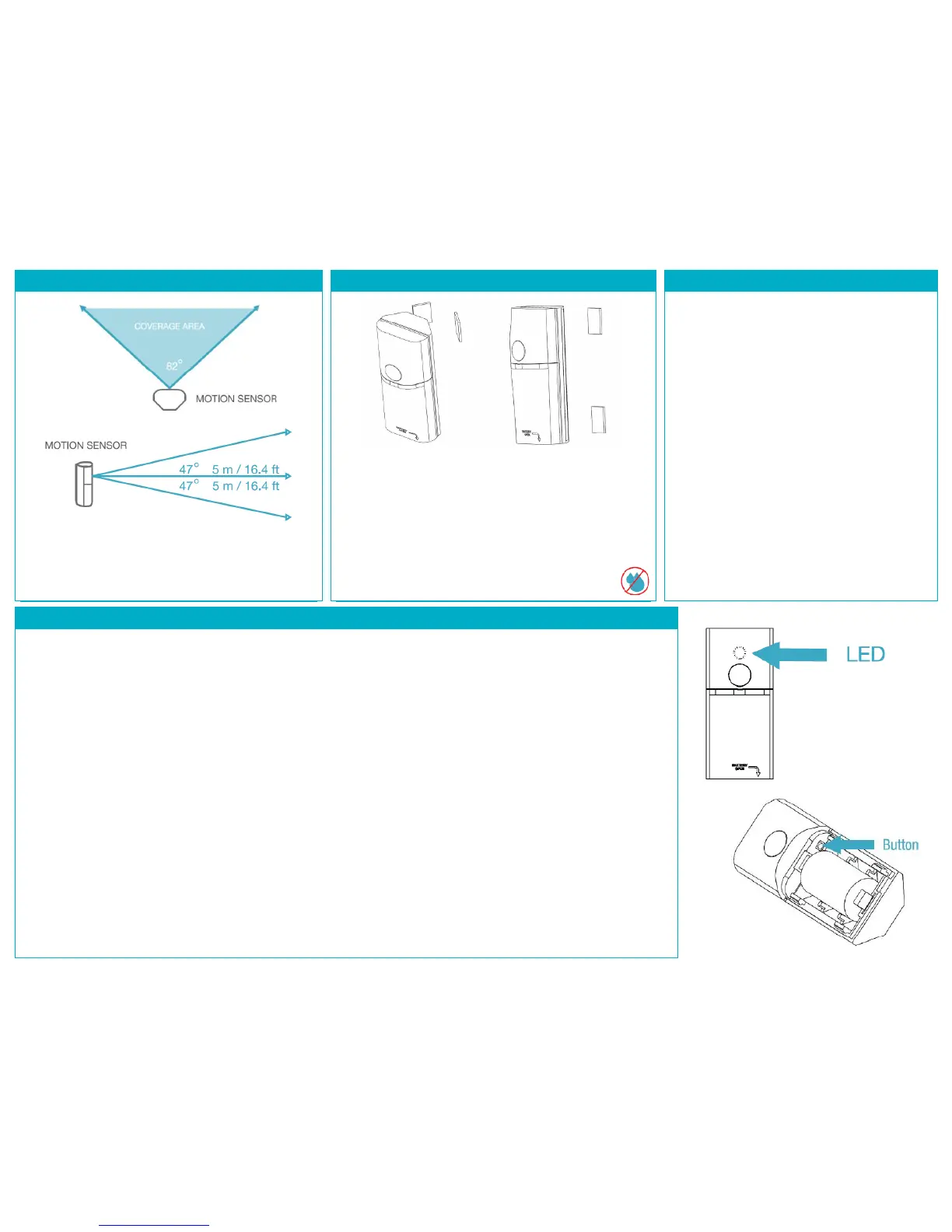
STEP 4: PLACEMENT GUIDELINES
Orient the Motion Sensor for best use of its detection
zones.
* All Measurements are approximate.
STEP 5: INSTALL THE MOTION SENSOR
Install the Motion Sensor on a clean surface using the 2-
sided tape provided. It can be installed on a flat surface
or in a corner, vertically, horizontally or upside down.
Notes: Test the Sensor from the desired location before
permanent installation. Installation on metal can reduce
transmission range. Ensure that the device is installed in
a dry location away from water, moisture, and rain.
READING AND WRITING ATTRIBUTES
To Read:
In Composer, under the Actions tab, click on
Read Attributes. Wake up the device by
triggering motion or with a double button press.
Check the updated attribute value under the
Properties tab. The Attribute Status field
should read: “Attributes are up to date.”
To Write:
In Composer, change the attribute value
(Custom = 4 - 65535 seconds) under the
Properties tab and click Set.
Under the Actions tab, click on Write Attributes.
Wake up the device by triggering motion or
with a double button press.
Check the Attribute Status field. It should read:
“Attributes are up to date”.
PRODUCT FUNCTION AND LED INDICATORS
BUTTON LED ACTION LED DESCRIPTION
2 TIMES NETWORK STATUS JOINED
NOT JOINED
4 TIMES NETWORK JOIN SEARCHING FOR NETWORK
DEVICE BEING CONFIGURED
DEVICE JOINED
DEVICE FAILED TO JOIN
6 or 10 or NETWORK LEAVE LEAVE (IF JOINED) and
TIMES and DEFAULT DEFAULTS RESTORED
NO ACTION WRONG BUTTON PRESS
NETWORK ERROR, RETRY
DEVICE BUSY
MOTION DETECTED
POWER UP


 To Previous Page