EasyManua.ls Logo

Nyce NCZ-3041 - User Manual

Nyce NCZ-3041
2 pages
Print Icon
To Next Page IconTo Next Page
Loading...
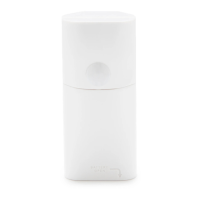
MOTION SENSOR
INSTALLATION GUIDE
STEP 1: INSTALL BATTERY
To open the
battery cover,
use a
flathead
screwdriver in
the recessed
Te h slot as shown.
Remove the packing tape, if present,
from the battery cover and install the
CR2 battery with polarity as shown.
If the battery is pre-installed, simply
remove the plastic pull tab.
STEP 2: INSTALL DRIVER AND IDENTIFY
Install the device’s driver: MotionSensor_zb_nyce_3041.c4i
Download driver from: www.nycesensors.com/support
or from Control4’s online database
Copy to My Documents\Control4\Drivers
Open Composer and add device to project (Manufacturer = “NYCE”)
Identify the device by pressing the button 4 times while its identify
window is open.
The device’s 64-bit address should appear in the identify window’s text
box.
STEP 3: VERIFY DEVICE AND CLOSE
Verify that the device is sensing motion.
The sensor requires a 3 minute “warm-up” time
before it will report motion.
The LED should flash red and motion should be
indicated in Navigator or Composer’s List View.
Snap the battery cover into place.
Question and Answer IconNeed help?

Do you have a question about the Nyce NCZ-3041 and is the answer not in the manual?

Summary

Install Battery

Open Cover and Insert Battery

Instructions on opening the battery cover with a screwdriver and installing the CR2 battery.

Install Driver and Identify Device

Driver Installation and Project Setup

Guide to installing the device driver and adding it to a Control4 project.

Device Identification Procedure

Steps to identify the device by pressing its button and checking the 64-bit address.

Verify Device Operation and Close

Motion Sensing Verification

How to confirm the device senses motion after a warm-up period.

Finalizing Installation

Instructions on snapping the battery cover into place after verification.

Placement Guidelines and Sensor Mounting

Optimal Sensor Placement

Guidance on orienting the motion sensor for its detection zones.

Mounting Instructions

Details on using adhesive tape and considerations for installation location.

Device Attributes and Indicators

Reading Device Attributes

Procedure to check the device's attribute status in Composer.

Writing Device Attributes

Steps to modify attribute values and verify the update.

Product Function and LED Indicators

Explanation of button presses and corresponding LED status for network and motion events.

Nyce NCZ-3041 Specifications

General IconGeneral
Communication ProtocolZ-Wave
Power SourceBattery
Wireless Frequency908.42 MHz
Battery TypeCR123A
Battery LifeUp to 5 years
RangeUp to 100 feet (30 meters) in open air
Operating Temperature32°F to 104°F

Related product manuals