EasyManua.ls Logo

Nyce NCZ-3010 - User Manual

Nyce NCZ-3010
3 pages
Print Icon
To Next Page IconTo Next Page
Loading...
USER’S MANUAL
Model # NCZ-3010
FCC ID: Y8R-Z30101 IC ID: 9488A-Z30101
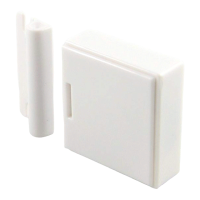
STEP 1: PULL BATTERY TAB
Pull the plastic tab from the back-
side slot in the Door Hinge Sensor’s
wireless module. The LED Power Up
sequence should be visible on the
front-side of the wireless module.
STEP 2: JOIN THE NETWORK
USERS
Refer to the instructions on your system’s computer
software, web portal or smart phone application for
the proper method to join and configure the Door
Hinge Sensor. The button may be pressed with the
end of the supplied hex key, paper clip or a pencil.
Do not use a sharp object like a tack or pin.
DEVELOPERS
Contact NYCE for our ZigBee Device Messaging
Specification” document with details on how to
integrate the Door Hinge Sensor and other NYCE
products to your ZigBee compliant network.
STEP 3: TEST THE INSTALL LOCATION
Test the Sensor from desired location
before installation. Push and release
the Contact Lever gently and insure that
the icon on your web portal or smart
phone application updates with a
“Closed” and “Open” status.
Installation on metal can reduce
transmission range. Ensure that the
device is installed in a dry location away
from water, moisture, and rain.
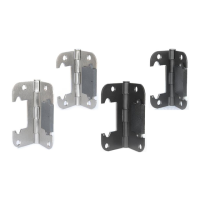
STEP 4: REMOVE THE EXISTING DOOR HINGE
For best aesthetics, install the Door Hinge
Sensor in the lowest door hinge position.
- If your existing hinge has been painted,
use a utility knife to score the edges of
the screws and the hinge body before
removal.
- Remove the existing screws from your
door hinge.
- To ensure that you do not damage your
door or door frame, gently remove the
existing hinge from its recesses on both
door edge and door frame.
LED
LEVER
LED
BUTTON
LED
Question and Answer IconNeed help?

Do you have a question about the Nyce NCZ-3010 and is the answer not in the manual?

Summary

Product Installation Steps

Step 1: Pull Battery Tab

Pull the plastic tab from the wireless module's back-side slot to power up the sensor.

Step 2: Join the Network

Follow system instructions to join the sensor to your ZigBee network using the button.

Step 3: Test the Install Location

Test sensor location by checking status updates and ensuring a dry environment.

Step 4: Remove the Existing Door Hinge

Remove existing hinge screws and carefully detach the hinge from door and frame.

Step 5: Install on Door Frame

Mount the sensor to the door frame recess, using existing hinge screws if possible.

Step 6: Install on Door Edge

Mount the sensor to the door edge recess, aligning it with pressure if needed.

Step 7: Install Set Screw (Optional)

Install set screw for alignment issues to ensure 'Closed' status is reported correctly.

Product Function and Indicators

Button and LED Indicators

Understand button presses and LED signals for network status, joining, and errors.

Product Overview and Specifications

Product Summary

Wireless Door sensor using ZigBee protocol for monitoring door state, with battery and network features.

Technical Specifications

Details model, battery type, frequency, operating temperature, and dimensions.

Maintenance and Compliance

Battery Replacement Procedure

Steps to replace the CR2032 lithium coin cell battery, including cover removal and reassembly.

FCC and IC Compliance

Statements on FCC and Industry Canada compliance, and conditions for operation.

Warranty and Support

Information on product warranty, where to find details, and contact for support.

Nyce NCZ-3010 Specifications

General IconGeneral
BrandNyce
ModelNCZ-3010
CategoryAccessories
LanguageEnglish

Related product manuals