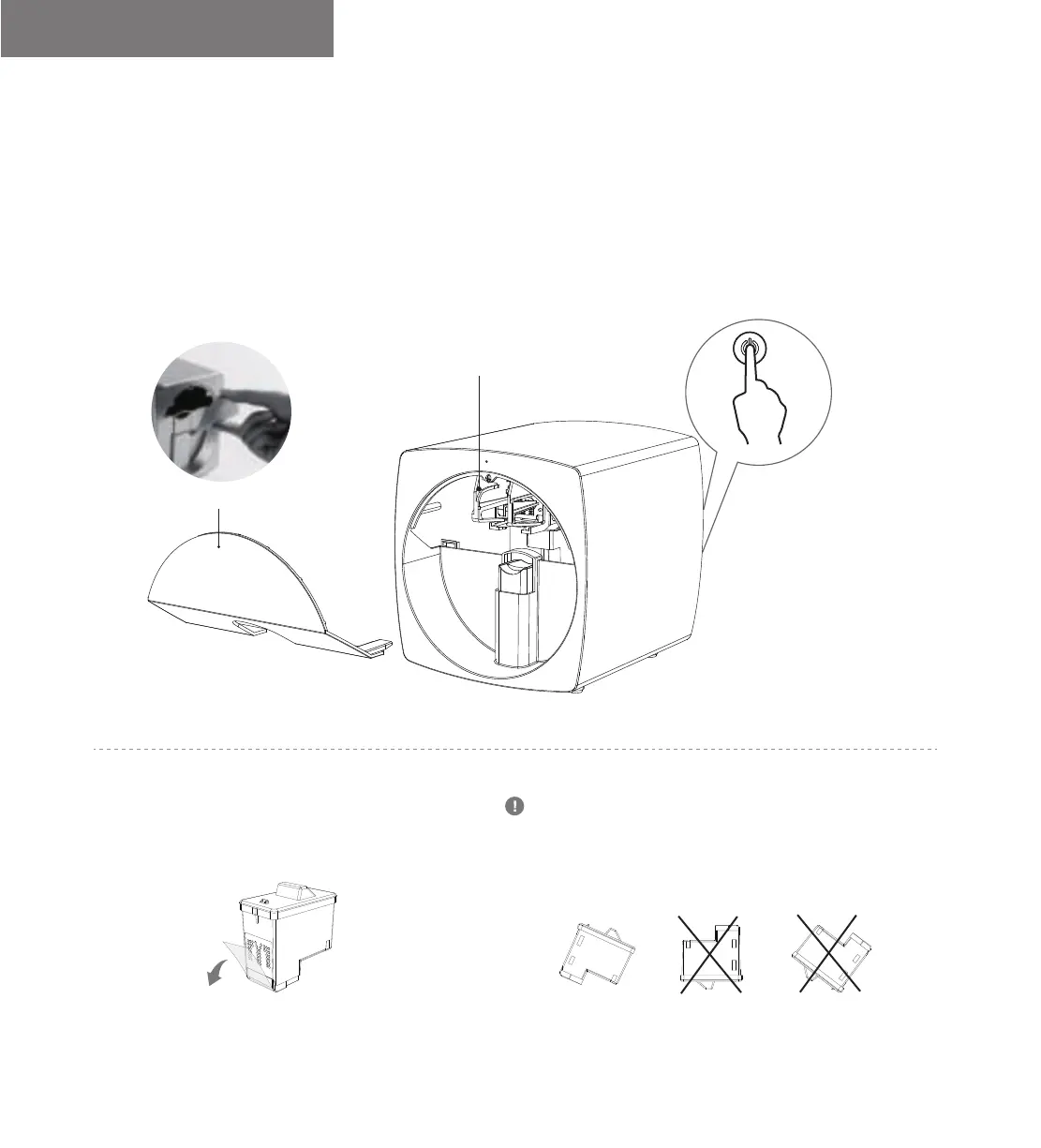
Install the Cartridge
√
Press the switch twice in a row,
you'll hear the sound “di di di”,
and the cartridge holder will
come out automatically.
1. Take down the front panel.
Take down the front panel
Cartridge Holder
Unpack the cartridge and tear off the seal.
It is forbidden to re-affix the seal, otherwise the cartridge
will be damaged. Do not touch metal contacts and ink
cartridge nozzles. Do not place it traversely and reversely
in order to prevent color mixing.
Mobile Nail Printer V11 User Manual
10


 To Next Page