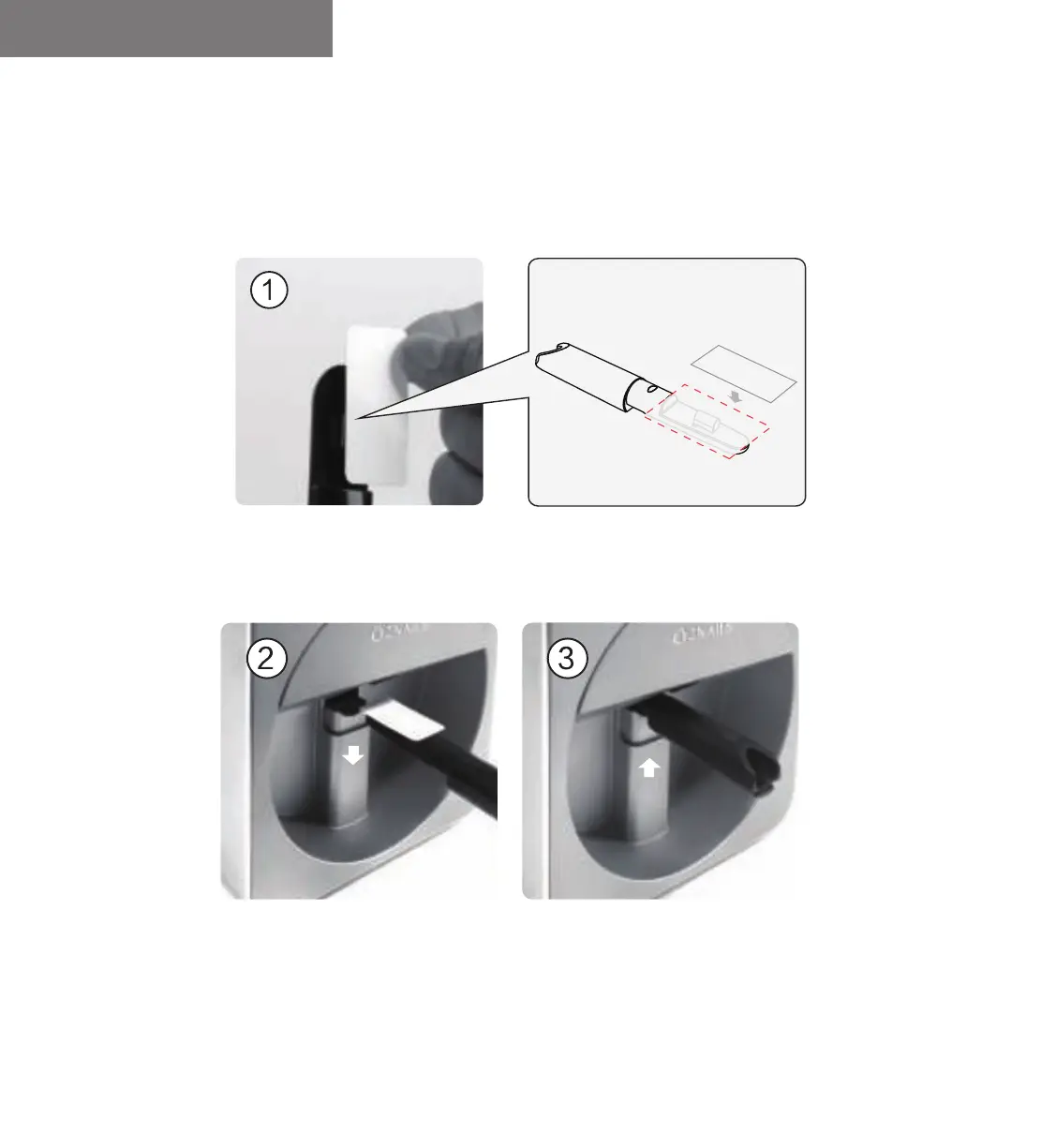
Print A Test Pattern
① Paste the test paper medially on the nail holder, leaving a distance of 1cm from the handle part.
② Press down the finger holder, put it
horizontally into the finger holder.
③ Bounce up the finger holder to fix it.
Mobile Nail Printer V11 User Manual
1. Put Test Paper into the Finger Holder.
13


 To Next Page