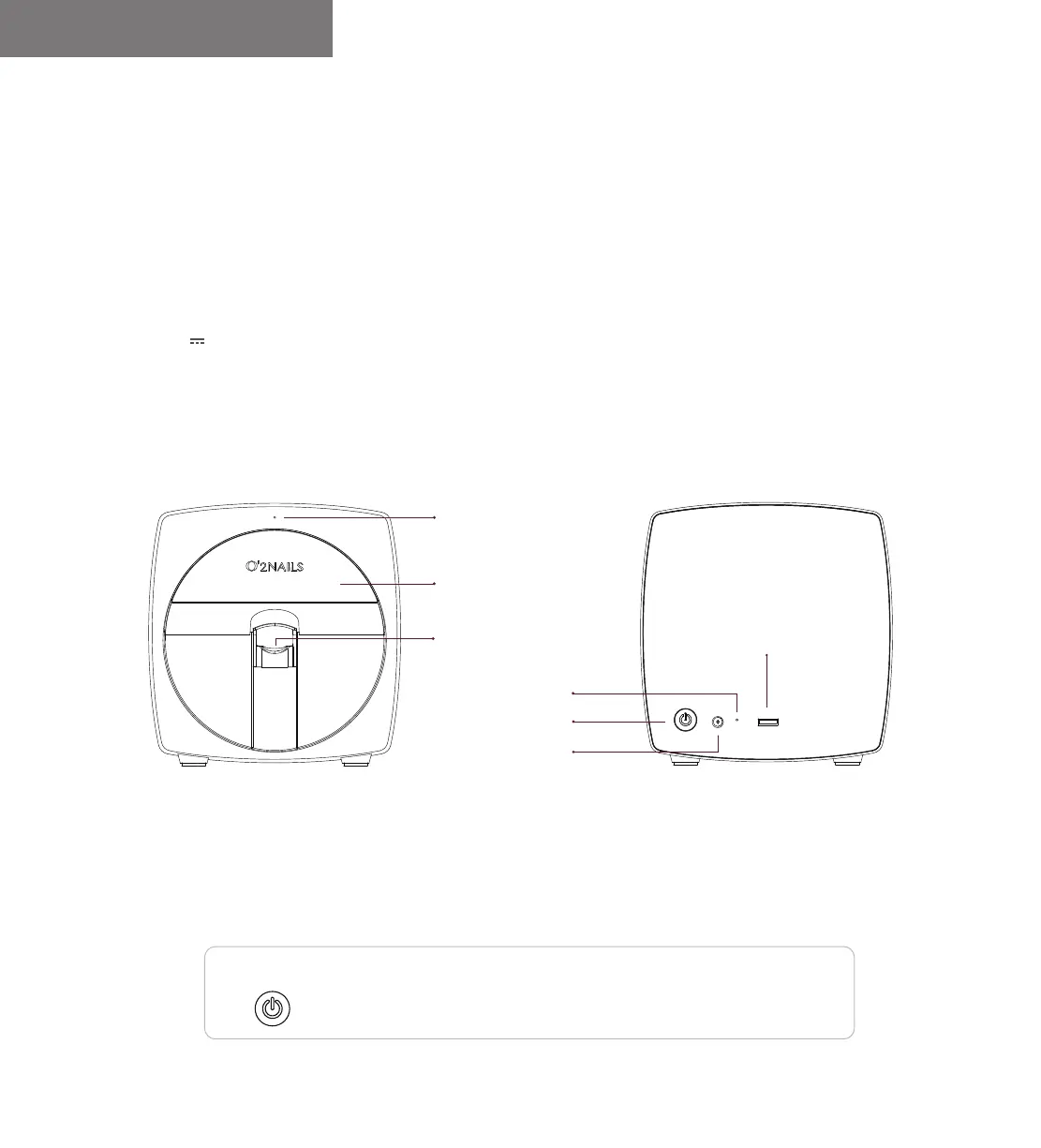
Detachable Panel
Finger Holder
Power Indicator Light
Power Switch
Reset Hole
DC Power Port
Special USB Port
for LED Light
Power Switch
Press the switch to turn on the machine. Press and hold the switch for more
than 2s to turn off the machine.
After the machine is started, press the switch twice in a row: control the cartridge
holder to come out/in.
FrontBack
Product Introduction
Mobile Nail Printer V11
A mobile smart device that can print any pattern on the nail. The product is suitable for commercial nail art services.
It's wirelessly controlled by O'2NAILS application in the phone or tablet.
Model: SM-NP1601V
Power Input: 24V 1A
Power Rating: 24W
Machine Dimension: 175x168x175(mm)
Net Weight: 1.6KG
Mobile Nail Printer V11 User Manual
01


 To Next Page