THUMP PRO USER GUIDE 17
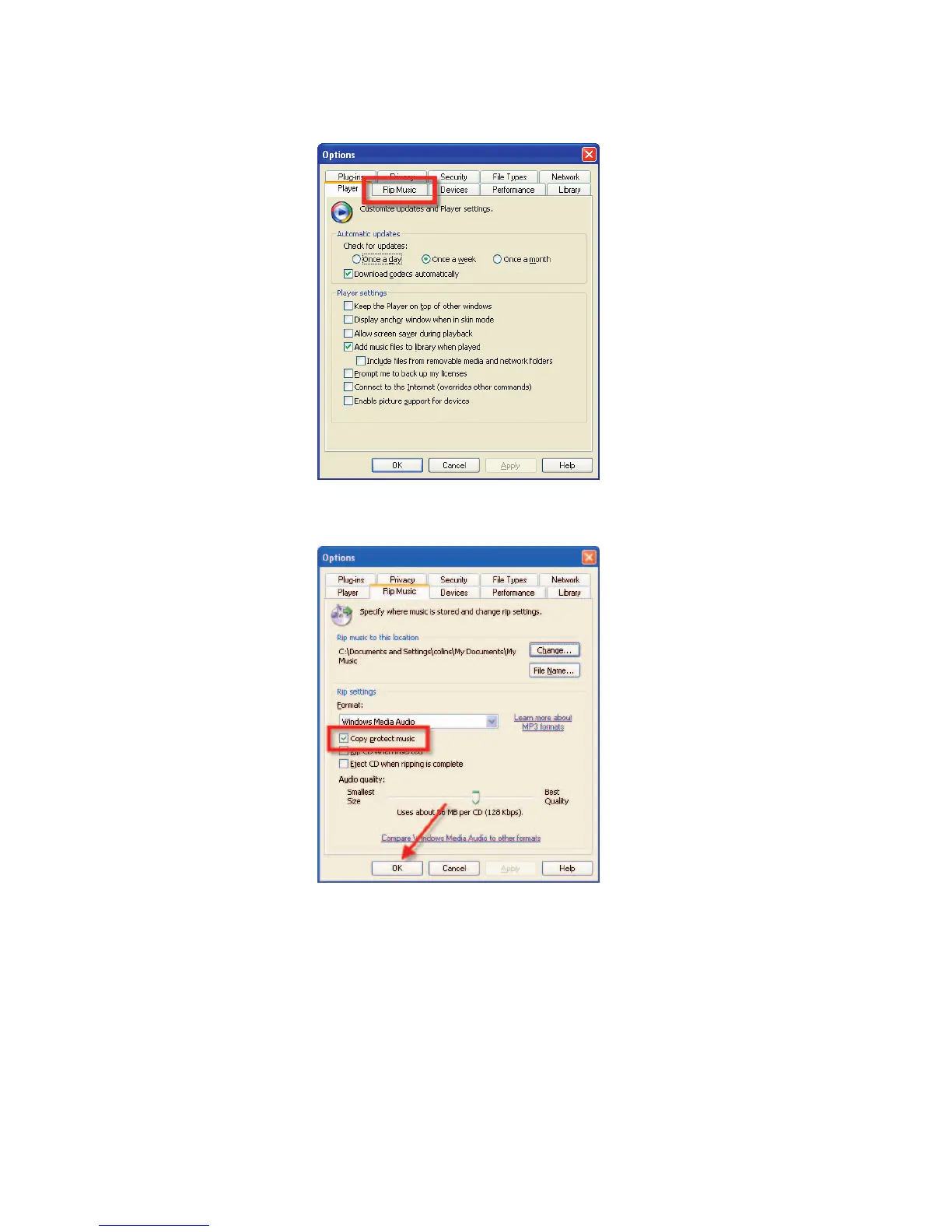
STEP 3: Select the “Rip Music” tab.
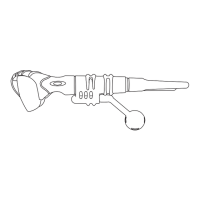
STEP 4: Under “Rip settings,” remove the checkmark beside “Copy protect music.” Click the “OK” button to finish.
From now on, the music you copy to your computer and transfer to THUMP Pro will not be affected by the Copy Protect feature,
and should play normally.



 To Next Page