Home
Oakton
Thermometer
Temp-100
Page 20
Oakton Temp-100 - Page 20
36 pages
Manual
Save Page as PDF
To Next Page
To Next Page
To Previous Page
To Previous Page
Loading...
- 17 -
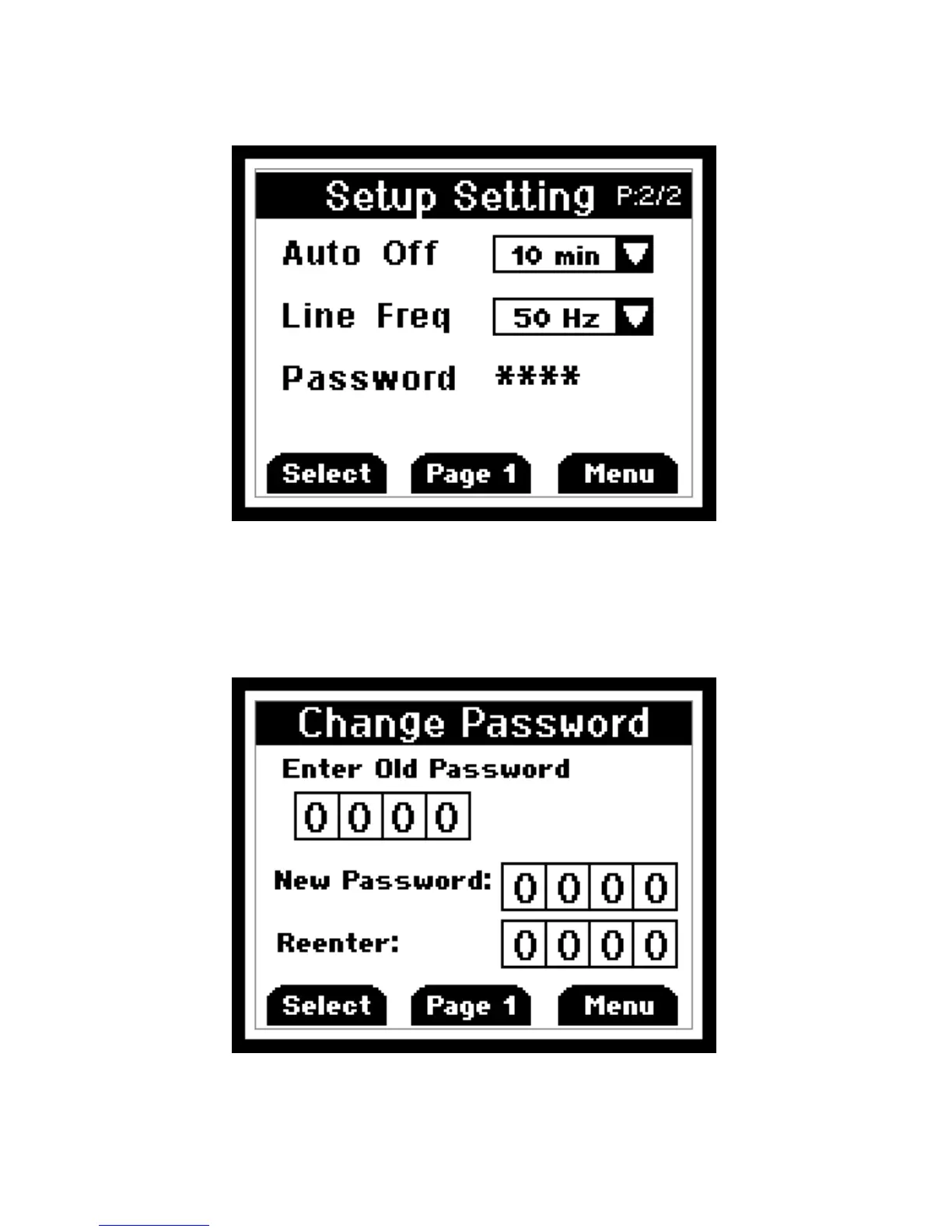
On the second page you ca
n set auto-off
time, line frequenc
y, and password.
This screen belo
w
is used to reset/chan
ge
password. In the event if uses forget
his/her pass
w
ord, 5586 can be used to
reset to a new value
19
21
Table of Contents
Main Page
Table of Contents
3
Introduction
4
Safety Precautions
5
Specifications
6
Data Logging
7
Logging Interval
7
Battery Installation and Replacement
9
Inserting and Removing Optional Rubber Armour
10
Assembling Optional Handsfree Accesories
11
Connecting a Thermocouple
12
Key Functions
14
Display Overview
15
Measurement Mode
16
Data Logging
17
MIN, MAX, and AVE FUNCTION
17
Hold Functon
17
Setup Mode
18
General Setup Screen
19
Calibration Screen
21
Alarms Screen
24
Data Logging Screen
25
Calibration Report Screen
26
Clear / Reset Screen
27
Maintenance
28
Cleaning
28
Batteries
28
Trouble Shooting
29
Accessories
30
Warranty
31
Product Return
31
Innocal® Calibration and Repair Services
32
Related product manuals
Oakton TEMP TC
8 pages
Oakton TempTestr IR
4 pages
Oakton Type J
28 pages


 To Next Page