- 16 -
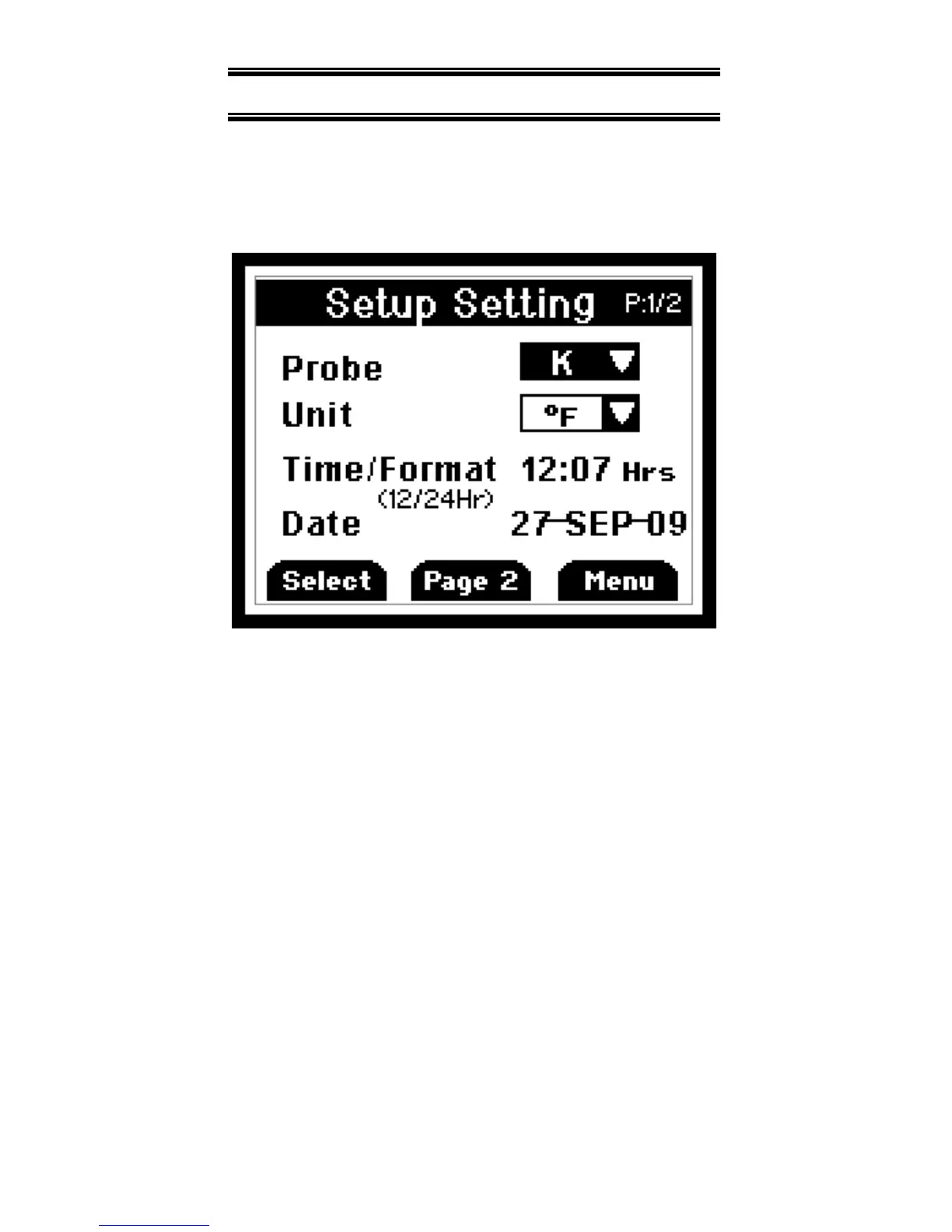
15. GENERAL SETUP SCREEN
The first page of the General Setup
screens let you set probe type,
measurement units, time, and date.
Press F1 to indicate you want to change
the setting of the current parameter or
recall▲ or log▼ to move to the next
parameter.
Press recall▲ or log▼ to change the
options.
Press F2 to choose the next setting.
Whenever set the options, press F1 for
accepting the choice.


 To Next Page