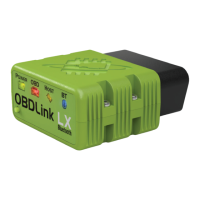
The OBDLink app included with the adapter only connects with OBD-II
(emissions-related) data, so you likely will not be able to connect and read much (if
any) data from your vehicles.
The following apps work with OBDLink adapters and support electric and hybrid
vehicles:
● ABRP
● Bimmercode/BimmerLink
● Carista
● Car Scanner ELM OBD2
● FORScan
● EV Notify
Quick start steps
If you have issues connecting your OBDLink® Bluetooth adapter to your phone or
tablet, try the steps in this section to resolve the problem.
Each OBDLink Bluetooth adapter has a model-specific Quick Start Guide (QSG),
which can be found on our website or downloaded from Amazon's corresponding
product page:
● OBDLink MX+
● OBDLink CX
● OBDLink LX
The basic QSG steps are repeated here for convenience.
1. Download the OBDLink app from: www.obdlink.com/apps
2. Start the engine.
3. Plug your OBDLink adapter into the OBD port, which is usually in the driver’s
footwell.
4. (MX+ and LX models only) Push the Pair button on the adapter.
On your phone/tablet, go to Device Settings > Bluetooth and pair with your
OBDLink adapter.
5. On your phone/tablet, launch the OBDLink app and tap Connect .
6. Allow location services while using the OBDLink app.



 To Next Page