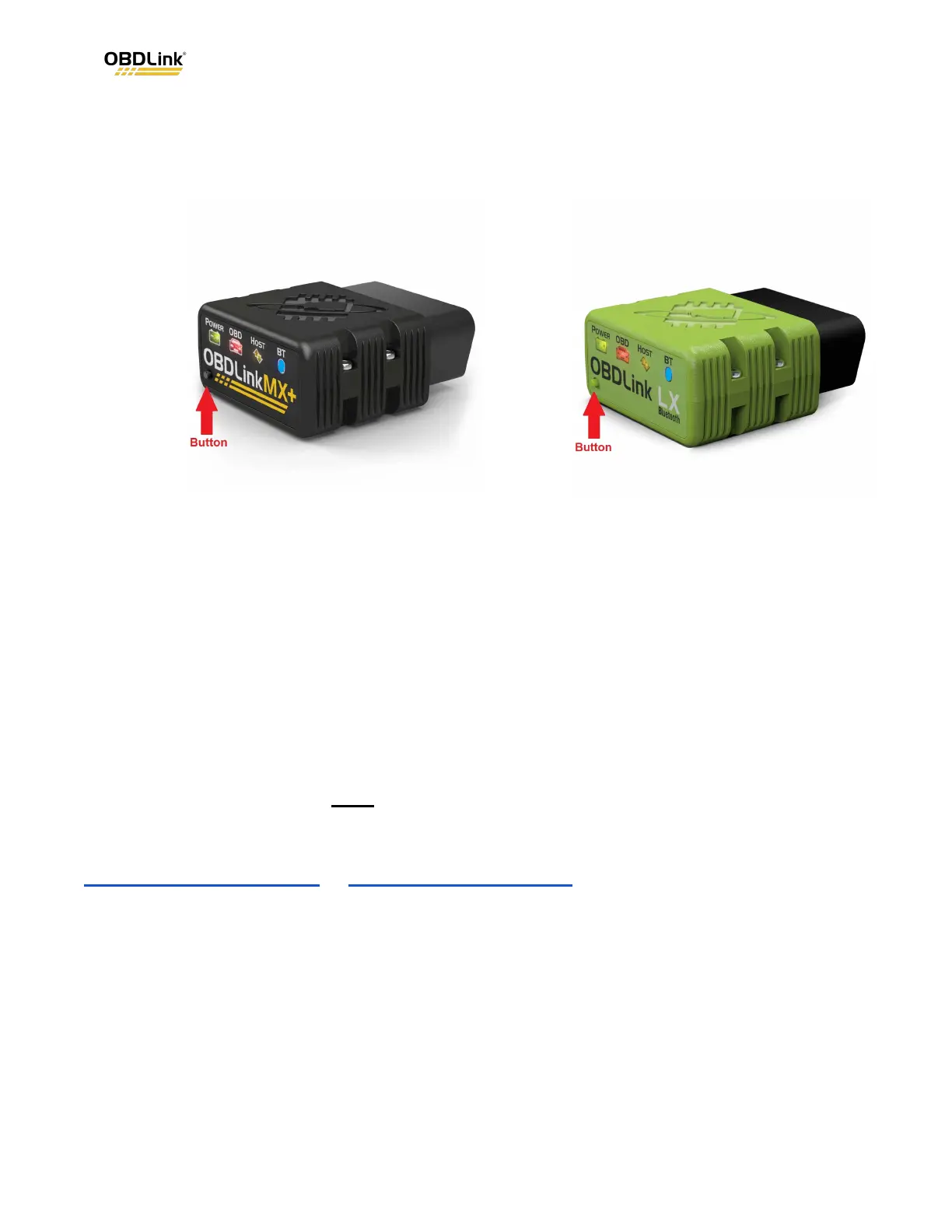
2. Remove your OBDLink adapter from your phone’s Settings > Bluetooth menu
(if present).
3. Press the button again and make sure the BT LED is flashing rapidly.
4. Pair your adapter to your phone or tablet in the OBDLink app by tapping
Settings > Connection Wizard.
Need more help?
We have an article knowledge base on our support site that can help you get started
with the OBDLink App, learn to use different App features, and troubleshoot issues.
See all our support articles here .
If you have a question that you can’t resolve on your own, you can add a post on our
OBDLink Support Forum or submit a support ticket . Either of these options will give
you the quickest response time.
Revision history
Revision B February 2024 Updated the Motorcycles table and
updated product images.
Revision A November 2023 Initial release of this document.
OBDLink
®
is a registered trademark of OBD Solutions, LLC.



 To Previous Page