Need help?
Do you have a question about the Oben CTT-1000 and is the answer not in the manual?
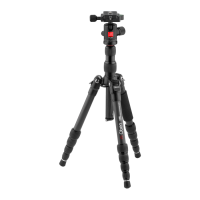
Instructions for attaching the ballhead to the tripod by aligning and rotating.
Steps to attach the 1/4-20 quick-release plate to the bottom of a camera.
Guidance on securely attaching a camera with its plate to the ballhead clamp.
How to use the main knob to lock/unlock the ballhead for camera positioning.
Explanation of the ballhead's 360° rotation capability for panoramic shots.
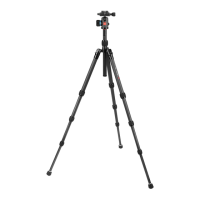
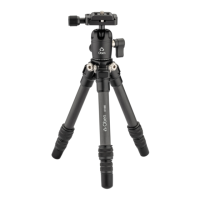
Instructions for independently adjusting the height of each tripod leg.
How to adjust each leg to one of three preset angles for stability.
Steps to connect the extender for added height, including bushing details.
Information on removing rubber feet to expose spikes for soft ground.
 General
| Type | Tripod |
|---|---|
| Material | Aluminum |
| Leg Sections | 4 |
| Head Type | Ball Head |
| Leg Lock Type | Twist Lock |
| Bubble Level | Yes |
| Quick Release Plate | Yes |
| Center Column | Yes |
| Leg Angles | 3 |
| Weight | 3.7 lbs |

 To Next Page