EasyManua.ls Logo

Oberheim XK - HOLD;CHORD; Holding Notes or Chords; Canceling Held Notes; Holding Notes and Zones

Oberheim XK
41 pages
Print Icon
To Next Page IconTo Next Page
To Previous Page IconTo Previous Page
Loading...
HOLD/CHORD
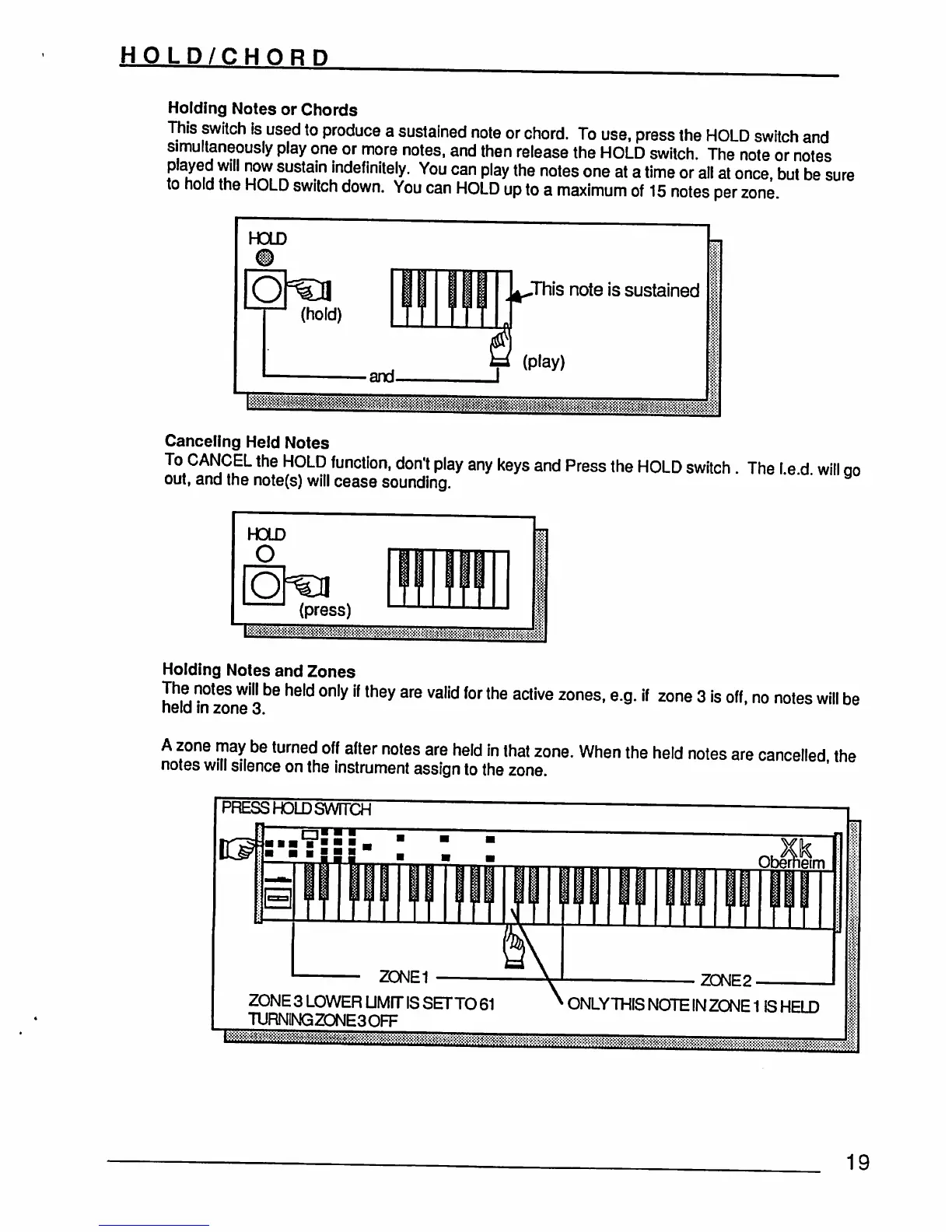
Holding
Notes
or
Chords
This
switch
is
used
to
produce
a
sustained
note
or
chord.
To
use,
press
the
HOLD
switch
and
simultaneously
play
one
or
more
notes,
and
then
release
the
HOLD
switch.
The
note
or
notes
played
will
now
sustain
indefinitely.
You
can
play
the
notes
one
at
a
time
or
all
at
once,
but
be
sure
to
hold
the
HOLD
switch
down.
You
can
HOLD
up
to
a
maximum
of
15
notes per
zone
Tiis
note
is
sustained
&&%S&g%M&Jg%&^
Canceling
Held
Notes
To
CANCEL
the
HOLD
function,
don't
play
any
keys
and
Press
the
HOLD
switch
.
The
I
e
d
will
ao
out,
and
the
note(s)
will
cease
sounding.
' '
Holding
Notes
and
Zones
The
notes
will
be
held
only
if
they
are
valid
for
the
active
zones,
e.g.
if
zone
3
is
off,
no
notes
will
be
held
in
zone
3.
A
zone
may
be
turned
off
after
notes
are
held
in
that
zone.
When
the
held
notes
are
cancelled
the
notes
will
silence
on
the
instrument
assign
to
the
zone.
=ESSHOLDSVvTTa
ZONE1
Qberheim
ZONE2
ZONE
3
LOWER
LIMIT
IS
SETTO
61
7URNINGZONE3OFF
ONLYTUISNOTEINZONE1
IS
HELD
19