Note:
• Shielding building materials such as reinforced concrete reduce or prevent the
radio reception between the base station and wireless sensor.
• Devices such as televisions, cordless phones, computers and fluorescent tubes
can also interfere with the wireless reception.
• Do not place the base unit and wireless sensors directly on the floor. This restricts
the range.
• In low temperatures in winter the battery performance of the wireless sensors can
be significantly reduced. This reduces the transm itter range.
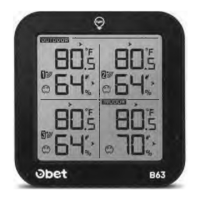
Where the weather therm om eter s ho u ld be placed
• Pull out the stand and place on a flat surface.
• Or use the hanging holes on the back to m ount on a wall.
• Choose a location 6 feet or more away from electronics such as cordless phones,
gaming systems, televisions, microwaves, routers, etc.
• Place within range of the outdoor sensors (500 ft, 150m open air).
• Obstacles such as walls, windows, stucco, concrete, and large metal objects can
reduce the range.
Resetting the weather therm om eter
If the base station appears to display incorrect values, you should reset the weather
thermom eter to the factory settings.
a. Shut off the main weather thermom eter (take out batteries or unplug the power
cord).
b. Take the batteries out of the outdoor sensor.
c. Power on the main weather thermometer (put batteries in or plug the power cord).
d. Put batteries back in the outdoor sensor.
e. Put them together within a couple feet for about 20 minutes for a strong
connection. 11


 To Next Page