How to se t up
Insert batteries (not included)
1. Insert 2x AA batteries into your wireless sensor. Pay attention to the correct
polarity. While the sensor is transmitting, the red LED indicator will flash.
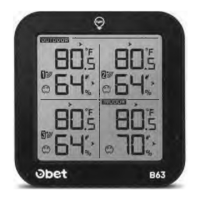
2. Open the battery compartment of the weather station and insert 3xAAA batteries
in the correct polarity. Close the battery compartment.
(light)
(Note: The screen will turn off after 10s and you will need to touch button to
activate it.)
3.Plug into the USB cord, which will keep the backlight on and adjust 3 kinds of
brightness(high-middle-low).
Pairing the outdoor sensor with the station
Once the wireless thermometer is turned on (plug in or insert batteries), it will start
receiving the pairing RF signals from the outdoor sensor with the same channel for 3
minutes. You can press the CH button on the base unit to match the correct outdoor
sensor.
Generally, the outdoor sensor will connect with the base unit automatically. If
it failed, please follow below steps to set:
• Make sure you set different channels for the sensor(1 -3).
• Press the CH button once to adjust to the corresponding channel, and then long
press the CH button on the base unit to search signal from the outdoor sensor.
• The sensor receiving icon will flash when searching for the signal.
• After the sensor is connected, the icon will become stable.
• Your weather station will search for the signal each 3 minutes every hour
automatically until it is connected.
Other functions
Switch tem perature unit °C /°F
Press the °C/°F button to switch the temperature unit: °C/°F.
8


 To Next Page