Button § (LIGHT)
* Illumination backlight
02 Battery compartment
03 Adapter port
04 Loop for hanging
05 Foldable stand
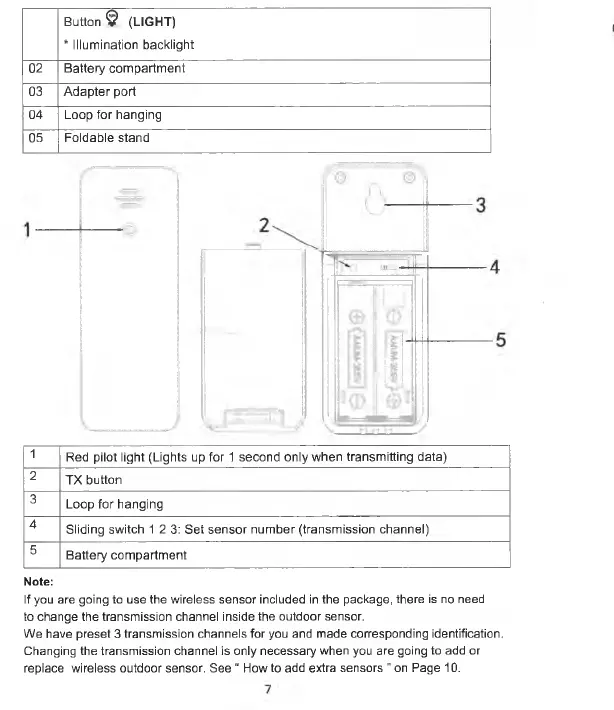
1
Red pilot light (Lights up for 1 second only when transmitting data)
2
TX button
3
Loop for hanging
4
Sliding switch 12 3: Set sensor number (transmission channel)
5
Battery compartment
Note:
If you are going to use the wireless sensor included in the package, there is no need
to change the transmission channel inside the outdoor sensor.
We have preset 3 transmission channels for you and made corresponding identification.
Changing the transmission channel is only necessary when you are going to add or
replace wireless outdoor sensor. See “ How to add extra sensors ” on Page 10.


 To Next Page