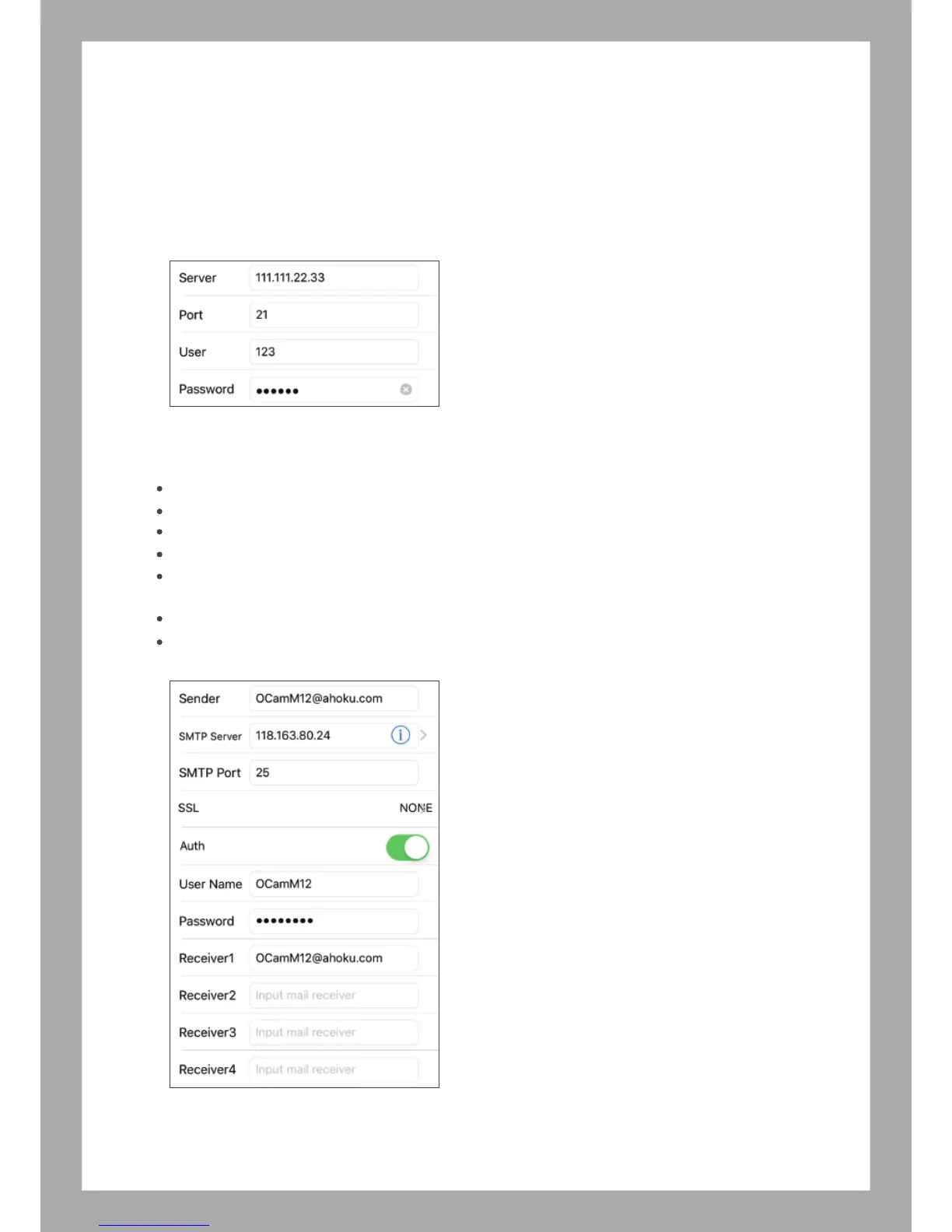
6.1.e FTP Setting - Setting your FTP information.
Server: Enter FTP server address
FTP port: Enter FTP server port
User/FTP User: Enter FTP server login account
Password/ FTP Password: Enter FTP server login password
Note: If you would like use function, you need apply FTP server
6.1.f Mail Setting
Sender: Enter your email address which will use for sending the mail, Ex: abc123@gmail.com
SMTP Server: Select your mail server from “i” Ex: if your use Gmail, choose “smtp.gmail.com”
SMTP Port: it will be auto filled when select the mail server.
SSL: it will be auto filled when select the mail server.
User Name (SMTP User): Enter your email account, Ex: if your mail is abc123@gmail.com, the the user
name will be abc123.
Password (SMTP Password) Enter your email password
Receiver: Enter email address, which use for receive the mai. You can sent the mail message to up to 4 people.
7



 To Next Page