EasyManua.ls Logo

Ocean Digital WR-210N - User Manual

Ocean Digital WR-210N
38 pages
Print Icon
To Next Page IconTo Next Page
Loading...
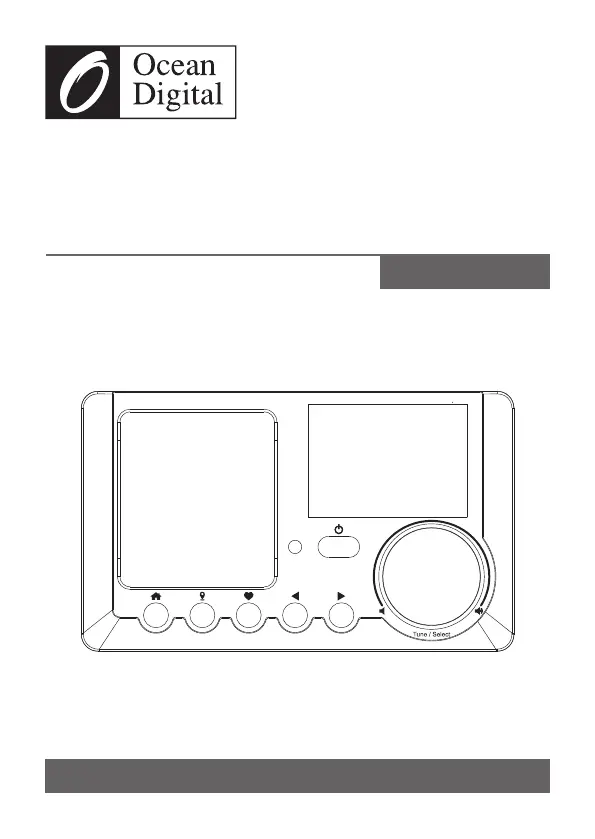
WR-210N
Internet Radio
User Manual
Please read this user manual carefully before using the receiver

Questions and Answers

  • C
    cherylmckenzieJul 27, 2025
    How to fix no sound on Ocean Digital WR-210N Radio?
    • L
      lmercadoJul 28, 2025
      If your Ocean Digital Radio has no sound, first ensure playback isn't stopped by pressing the Tune/Select knob or OK button on the remote to resume. Then, adjust the volume. Check if the issue persists across multiple stations or only one. If using external speakers connected to the line-out jack, adjust their volume and ensure they are powered on.
  • D
    davidwrightJul 31, 2025
    What to do if Ocean Digital WR-210N Radio network is down?
    • N
      nancy43Jul 31, 2025
      If your Ocean Digital Radio's network is down, verify that a PC connected via Wi-Fi or Ethernet can access the internet on the same network. Ensure a DHCP server is available or that you've configured a static IP address on the radio. Also, confirm your firewall isn't blocking outgoing ports; the radio requires access to UDP and TCP ports 80, 443, and 8008, plus DNS port 53.
  • P
    pattersonveronicaAug 5, 2025
    Why my Ocean Digital WR-210N Radio can't play particular stations?
    • J
      John HowardAug 5, 2025
      If your Ocean Digital Radio connects to the network but can't play certain stations, the station might not be broadcasting at that time (it could be in a different time zone). The station's server might be overloaded, or the station might have reached its maximum listener limit. Also, the link on the radio might be outdated; access Internet radio > Skytune for an updated list. Contact support or report the issue to Skytune if a stream still doesn't work.
  • L
    Lonnie PayneAug 9, 2025
    How to improve Wi-Fi signal strength on Ocean Digital WR-210N Radio?
    • C
      Christopher DuncanAug 9, 2025
      If your Ocean Digital Radio has insufficient Wi-Fi signal strength, check the distance to the router and see if a computer can connect to the network in the radio's location. You may also optimize the router's location to improve signal strength.
  • E
    Emily ThomasAug 13, 2025
    How to add Ocean Digital WR-210N Radio MAC address to router's allowed list?
    • M
      Mary Scott DDSAug 13, 2025
      If your router restricts access to listed MAC addresses, obtain the MAC address from Configuration > Information > Network > Wi-Fi MAC and add it to the allowed equipment list on your access point. Note that the Ocean Digital Radio has separate MAC addresses for wired and wireless networks.
  • M
    Michael AlvaradoAug 18, 2025
    How to resolve unknown encryption method on Ocean Digital Radio?
    • E
      Eric AndersonAug 18, 2025
      If your Ocean Digital Radio shows an unknown encryption method error, change the encryption method on your router. The radio supports WEP, WPA, and WPA2.
  • E
    Eric PerezAug 22, 2025
    What to do if Ocean Digital WR-210N Radio got freeze?
    • S
      shawjosephAug 22, 2025
      If your Ocean Digital Radio freezes, perform a reset by pressing the and buttons together on the radio unit until it turns off.

Summary

Location of Controls

Device Controls

Detailed descriptions of the radio's physical buttons, screen, and ports.

Remote Control

Remote Control Functions

Explanation of each button and its function on the remote control.

Inputting Wireless Network Password

Network Setup

Wi-Fi Connection Process

Steps to connect to a Wi-Fi network, including wizard, scanning, and selecting an access point.

Overview of Features and Functions

Internet Radio

Station Browsing and Management

How to explore, search, and manage favorite stations via Skytune and local radio features.

Media Centre

Music Streaming and Playlists

How to stream music from network devices and create custom playlists.

Bluetooth Playback

Pairing and Audio Streaming

Steps for pairing your Bluetooth device with the radio for audio streaming.

Alarm Setting

Configuration

Remote Control via PC;Smart Phone

Troubleshooting

Wi-Fi Connectivity Issues

Solutions for common Wi-Fi connection problems like network down, MAC restrictions, and signal strength.

Technical Specifications

Ocean Digital WR-210N Specifications

General IconGeneral
TypeInternet Radio
Wi-Fi802.11b/g/n
Tuning Range FM87.5 - 108 MHz
Power SourceAC Adapter
Streaming ServicesSpotify Connect, TuneIn
Display2.4" color TFT LCD
Audio Output3.5mm headphone jack
SpeakerBuilt-in speaker
AntennaTelescopic Antenna
Additional FeaturesAlarm clock, sleep timer, remote control

Related product manuals