EasyManua.ls Logo

Ocean Digital WR-23D - User Manual

Ocean Digital WR-23D
38 pages
Print Icon
To Next Page IconTo Next Page
Loading...
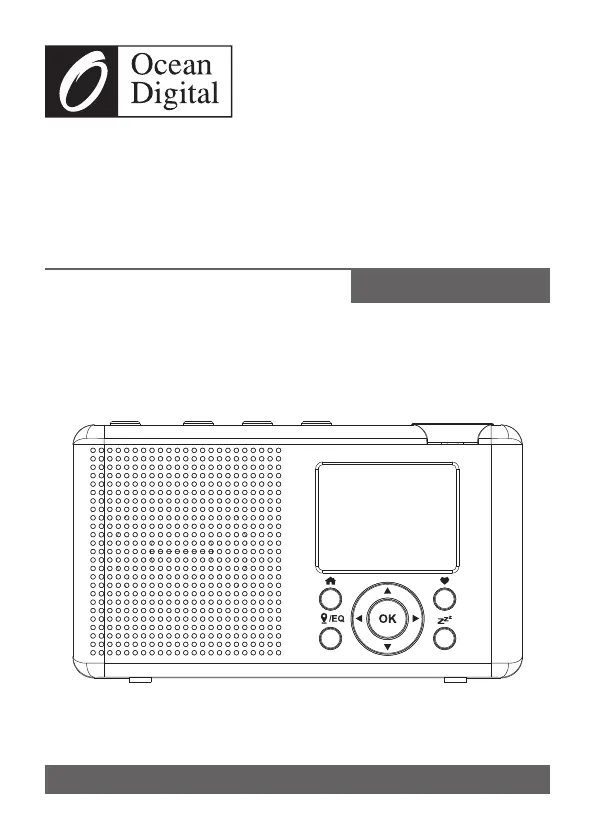
WR-23D
Portable Internet Radio
with DAB+/DAB and FM
User Manual
Please read this user manual carefully before using the receiver

Questions and Answers

  • R
    Richard EdwardsAug 13, 2025
    What to do if my Ocean Digital Radio says network down?
    • M
      Matthew HollandAug 14, 2025
      If your Ocean Digital Radio's network is down, first confirm that a Wi-Fi or Ethernet wired PC can access the internet using the same network. Also, verify that a DHCP server is available or that you have configured a static IP address on the radio. Ensure your firewall isn't blocking outgoing ports; the radio needs access to UDP and TCP ports 80, 443, and 8008, and DNS port 53.
  • D
    Deborah JonesAug 17, 2025
    Why is there no sound on my Ocean Digital WR-23D Radio?
    • H
      Heather HickmanAug 17, 2025
      If your Ocean Digital Radio has no sound, first check whether the playback is stopped and press the OK button to resume. Then, adjust the volume. Finally, check if other radio stations have the same problem or if it only happens on a particular station.
  • R
    Richard SantosAug 21, 2025
    How to improve poor DAB/FM radio reception on Ocean Digital WR-23D?
    • J
      Jay BrownAug 21, 2025
      If your Ocean Digital Radio's DAB/FM reception is poor, ensure the aerial is extended for maximum signal strength and adjust its direction to improve reception. Also, check that there is no other electrical equipment too close to your radio, as it may cause interference.
  • J
    Jessica PerezAug 25, 2025
    What to do if Ocean Digital WR-23D Radio connects to network but won't play stations?
    • L
      Laura PhelpsAug 25, 2025
      If your Ocean Digital Radio connects to the network but cannot play specific stations, it could be due to several reasons. The station might not be broadcasting at the current time, as it could be in a different time zone. Alternatively, the station might have too many listeners connected to its server, exceeding its capacity, or the station might have reached its maximum allowed number of simultaneous listeners. Also, the link on the radio might be outdated; to update the station list, access Internet radio > Skytune. If a particular stream still doesn't work, you can contact support or report the issue to Skytune.
  • L
    lesterbethanyAug 29, 2025
    How to fix insufficient Wi-Fi signal strength on Ocean Digital WR-23D?
    • N
      nathanchungAug 29, 2025
      If your Ocean Digital Radio has insufficient Wi-Fi signal strength, check the distance to the router and see if a computer can connect to the network in the radio's location. You may also want to optimize the router's location to improve the signal.
  • D
    Dawn EllisSep 1, 2025
    What to do if Ocean Digital Radio has no DAB/FM reception?
    • M
      Mark PowellSep 1, 2025
      If your Ocean Digital Radio has no DAB/FM reception, perform a "Reset to default" on the radio and extend the antenna. Additionally, move the radio closer to a window.
  • A
    allen16Sep 5, 2025
    How to fix unknown encryption method on Ocean Digital WR-23D?
    • J
      Justin ButlerSep 5, 2025
      If your Ocean Digital Radio displays an unknown encryption method error, change the encryption method on your router. The radio supports WEP, WPA, and WPA2.
  • N
    Nicholas Wright Jr.Sep 9, 2025
    How to add Ocean Digital WR-23D MAC address to router?
    • A
      amanda28Sep 9, 2025
      If your router restricts access to listed MAC addresses, obtain the MAC address from your Ocean Digital Radio by going to Configuration > Information > Network > Wi-Fi MAC and add it to the allowed equipment list on your access point.

Summary

Location of Controls

Physical Controls Overview

Identifies and explains the function of all physical buttons, ports, and indicators on the radio.

Display and Speaker Details

Describes the TFT color screen, speaker placement, and LED charging indicator.

Connectivity Ports and Antenna

Details the earphone jack, USB-C port, and the telescopic antenna.

Wireless Network Password Input

Initial Setup and Precautions

Internet and Network Readiness

Ensures a broadband internet connection and a functioning wireless router are available.

Operational Safety Guidelines

Advises against high temperatures, liquids, dust, and unauthorized repairs.

Getting Started and Charging

Powering the Radio On and Off

Instructions on how to turn the radio on and off using the power button.

Battery Charging and Status

How to charge the battery and interpret the battery power and charging indicators.

Network Setup and Wi-Fi Connection

Network Configuration Wizard

Initiating and configuring the network connection using the wizard.

Adding Wi-Fi Access Points

Scanning for and selecting Wi-Fi networks, including WPS connection.

Radio Features Overview

Favorite Stations and Media Access

Accessing favorite stations, exploring internet radio, and streaming media from network devices.

Broadcast Radio and Bluetooth

Receiving DAB/FM radio and playing audio via Bluetooth connectivity.

Timers and System Configuration

Setting sleep timers and personalizing various radio operational settings.

Internet Radio Stations

Skytune and Local Radio Access

Selecting stations by region, genre, or accessing local broadcasts.

Station Search and Listening History

Finding specific stations by name and accessing listening history.

Radio Playback Information Display

Cycling through playback details, time, and station logos.

Managing and Adding Favorite Stations

Adding stations to favorites by pressing the heart button and recalling them.

Editing Favorite Station Lists

Options to reorder, move, or delete stations from the favorite list.

Media Centre for Network Streaming

UPnP;DLNA Music Streaming

Connecting to UPnP/DLNA servers and selecting music files for playback.

Creating and Clearing Playlists

Making personal playlists from UPnP music files and removing them.

DAB+;DAB Digital Radio Reception

Scanning for Digital Radio Stations

How to scan for available digital radio stations and view reception progress.

DAB Radio Playback Details

Displaying additional information during DAB radio playback.

FM Radio Reception and Tuning

Scanning for FM Radio Channels

How to scan for FM stations and automatically save found channels.

Manual FM Frequency Tuning

Adjusting the FM frequency manually to find stations.

Bluetooth Audio Streaming

Bluetooth Device Pairing

Steps for coupling the radio with a Bluetooth device for the first time.

Bluetooth Playback Operation

How to select Bluetooth mode and start audio playback from a paired device.

Sleep Timer and Clock Settings

Sleep Timer Functionality

Setting a timer for the radio to automatically turn off after a specified duration.

Radio Configuration and Personalization

Network and Wi-Fi Configuration

Settings for WLAN, Wi-Fi channels, and connecting to networks.

Wi-Fi Connection Methods

Connecting to Wi-Fi using WPS or the SmartConfig mobile application.

Network Management and Signal

Managing network connections, IP/DNS settings, and checking Wi-Fi signal strength.

Time Zone and NTP Synchronization

Manual time zone selection and automatic time synchronization via NTP.

Language and Playback Settings

Selecting display language, local radio, playback modes, and resume options.

Display, EQ, and Buffer Settings

Adjusting screen brightness, equalizer, and buffer time for optimal playback.

System Information and Reset

Viewing system info, updating software, and restoring factory default settings.

Remote Control via PC;Smartphone

Web-Based Remote Operation

Connecting to the radio via Wi-Fi and accessing its web interface.

Station Management and Favorites

Adding stations to favorites, listening remotely, and managing lists.

Custom Channel URL Input

Adding custom radio channels by providing their audio stream URLs.

Troubleshooting Common Issues

Wi-Fi Connectivity Problems

Resolving issues like network down, MAC restrictions, signal strength, and encryption.

Station Playback and Reception Issues

Addressing problems with unplayable stations, poor DAB/FM reception, and no sound.

Radio Freezing and Unresponsiveness

Steps to resolve when the radio freezes or fails to respond.

Helpful Tips for Internet Radio

Buffering and Re-buffering Solutions

Tips to ensure smooth playback by addressing buffering problems.

Troubleshooting Unplayable Stations

Reasons why certain radio stations may not be playable and how to resolve them.

Technical Specifications

Package Contents and Recycling

Ocean Digital WR-23D Specifications

General IconGeneral
TypeInternet Radio
DisplayLCD
Wi-FiYes
BluetoothNo
Audio Output3.5mm headphone jack
UPnP/DLNA CompatibleYes
Power5W
Frequency Range (FM)87.5 - 108 MHz
Frequency Range (AM)522 - 1620 kHz
SpeakerBuilt-in
Antenna (FM)Telescopic
Antenna (AM)Built-in
Power SupplyAC adapter (DC 5V)

Related product manuals