Experience an easy way to control tuning internet radio
channels and manage your favourite list via PC or Smart
phone's web browser.
The supported browsers are Internet Explorer and
Chrome. Have your radio stayed on the Internet radio
mode when using this feature.
- Connect your PC or Smart phone to the same Wi-Fi
network as your radio.
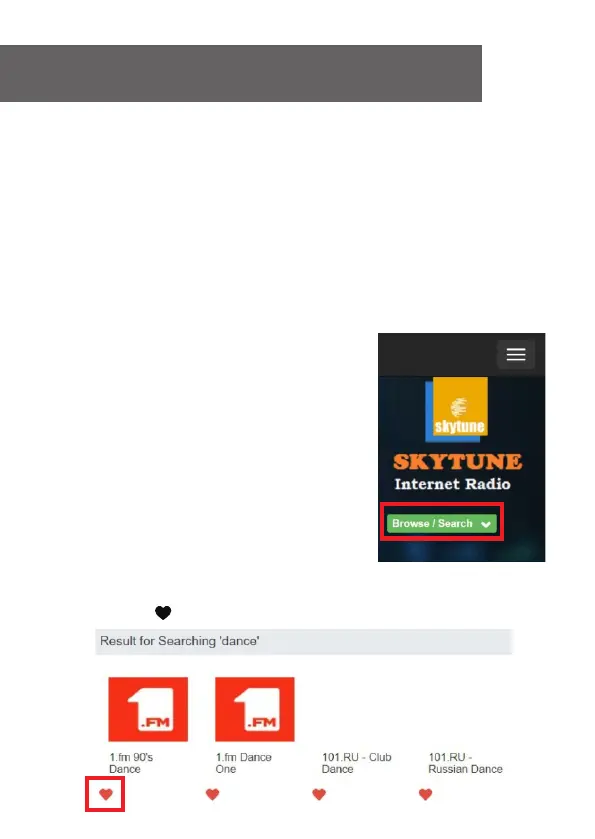
- Visit www.skytune.net
- On the home page, click “Browse/Search”
- Browse or enter the name to search the radio channel, a
list of internet radio channels will be displayed.
- Click the “ ”symbol
12. Remote control via PC / Smart phone
- Tuning internet radio & manage favourites
27















 To Next Page