9 Use of the BIOM® 5
Instruction Manual BIOM® 5 (G/55400/1218/en) 13 / 36
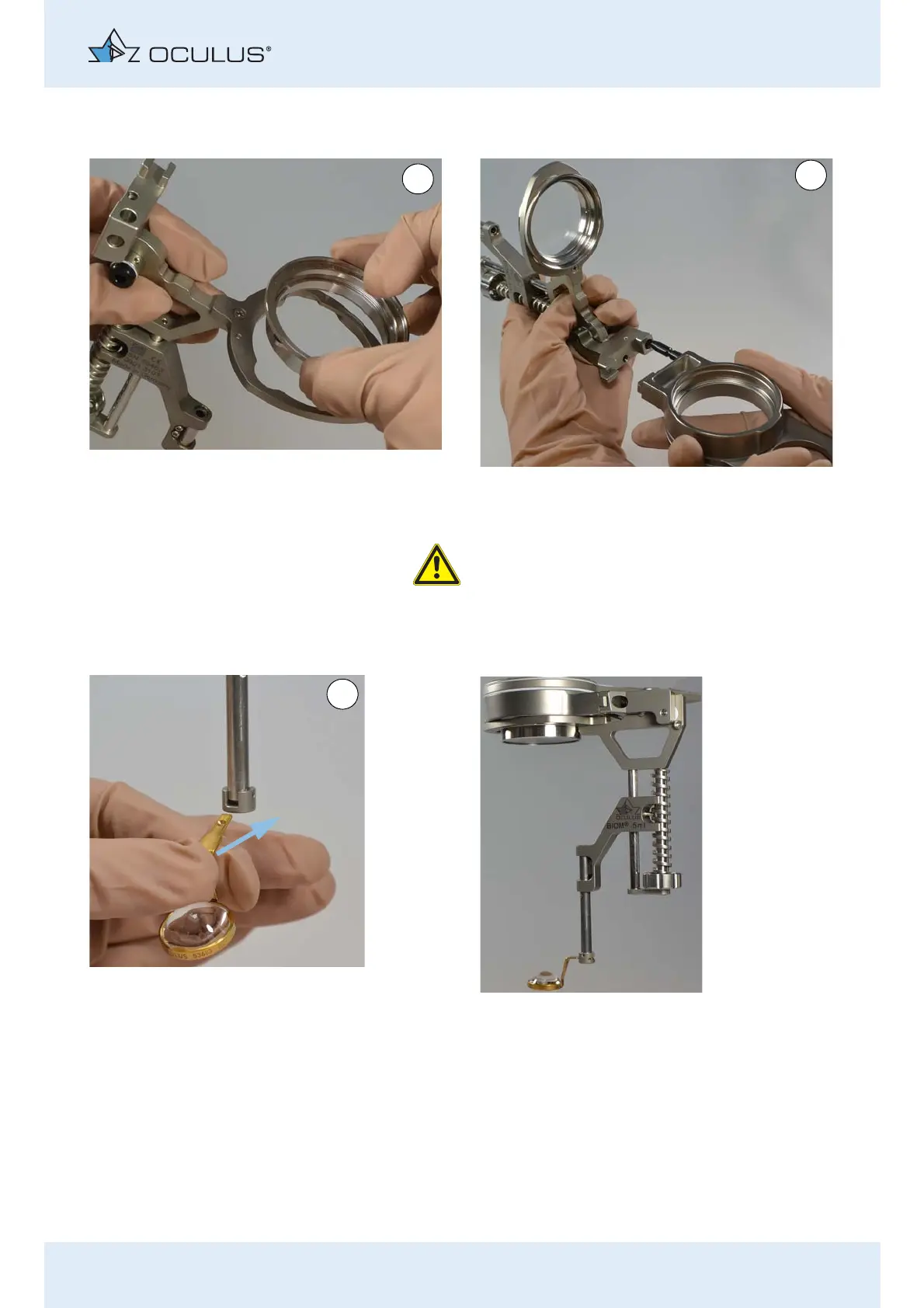
Insert the reduction lens. Then turn the reduction
lens clockwise until it reaches the stop.
Plug in the adaptor plate until it reaches the stop.
Attention
Risk to the patient if the BIOM® 5 is plugged in
incorrectly
If you do not plug in the BIOM® 5 correctly, you will
get a decentred fundus image.
Insert the loupe until it reaches the stop. The BIOM® 5ml is now fully mounted.
Fig. 9-2: Mounting the components



 To Next Page