9 Use of the BIOM® 5
16 / 36 Instruction Manual BIOM® 5 (G/55400/1218/en)
9.4 Connect the BIOM
®
5 to the Microscope
Attention
Risk of injury to the patient if mounting is done incorrectly
Never mount the BIOM® 5 over the patient.
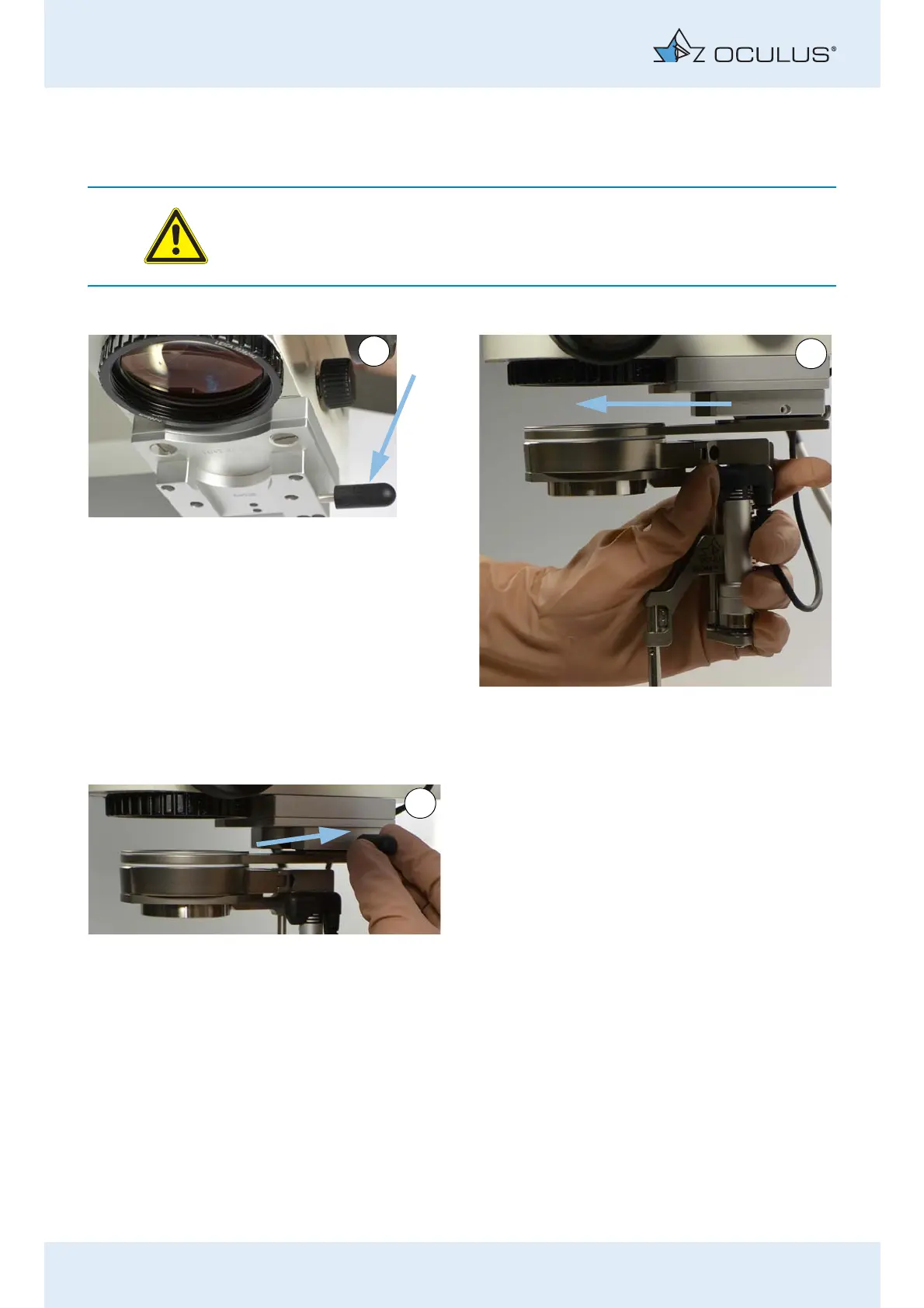
Push the sterile cap onto the knurled screw. Push the adaptor plate with the BIOM® 5 into the
dovetail mount at the microscope until it reaches
the stop.
Secure the adaptor into place with the knurled
screw.
Fig. 9-5: Connect the BIOM® 5 to the microscope



 To Next Page