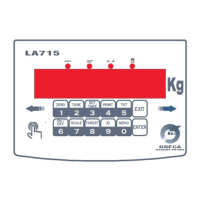
LA715
10 User ManualP2640300
FORMAT : Frame Format Programming
The Frame Format indicates the mode through which a “word” is created and transmitted; it is made up
of three index, that are :
Equality : it is the control bit, introduced in order to guarantee a correct transmission
Data bit : it indicates the dimension of the “word” used during the transmission
Stop bit : it indicates how many bit are used in order to finish a “word”.
Admitted values :
N,8,1 – O,7,2 – 0,7,1 – E,7,2 – E,7,1 – N,7,2 – O,8,1 – E,8,1 – N,8,2
( Default : N,8,1 )
PERIF : Type of peripheral device associated to the serial line
Admitted values :
<NIENTE> : No peripheral device
<PLUS> : Connection with printer PLUS
<KUBE> : Printer Custom KUBE
<TM295> : Printer EPSON TMU295
<L 300> : Printer EPSON LX300 PLUS
<ETICH> : Labelling machine INTERMEC C4
<RIPE-1> : Connection with repeater screen
<RIPE-2> : Connection with repeater screen
<PC-RIC> : Connection with Personal Computer with transmission on demand
<PC-CON> : Connection with Personal Computer with continued transmission
<PC-PES> : Connection with Personal Computer with stable weight transmission
<CONT-P> : Connection with Personal Computer with continued just weight transmission
<USB> : Connection with USB pen
<SCAN> : Connection with Bar Code Reader
NO-COM : Programming visualization of missing communication with protocols on demand
Setting Yes/No (if Yes is set, it is possible to decide whether to visualize it fixed or
flashing)
6.2.3 ADRESS Programming address of the device from 0 to 99
If the address is 0 it is used as first alphanumerical symbol of the STX string. Otherwise, if it is
programmed an address different from 0, the first alphanumerical symbol of the string (both
answering to a request of the device and of the PC) is 0x80h + the address value.
For ex. If address = the first alphanumerical symbol 0x8Eh.
6.2 EXITS: Selection operational mode of the
In this phase it is possible to program the intervention mode of 2 relè.
<USC. X>
<STATO> :Status of the relè
<N.A> : Usually open
<N.C> : Usually closed
<STABLE> : Activation condition of the relè
<SI> : Activation of the relè only when the stable weight condition has been reached
<NO> : Activation of the relè when the threshold has been overcome, without stability
control
<PESO> :Type of intervention of the relè
<LORDO> : The relè intervene on the gross
<NETTO> : The relè intervene on the net weight
6.3 TOTALI: Selection of the operational mode of totalization management
This parameter allows to select the operational mode through which it is meant to manage the
totalization operations.
6.3.1 AB-TOT Totalization operations enabling
The possible choices are :
<ON> : Enabled totalization
<OFF> : Disabled totalization
6.3.2 M Tot Selection weight acquisition mode
It is selected the mode through which the totalization operations are done.
The possible choices are :


 To Next Page
 Loading...