6
Getting Started
1. Turn purier upside down on a at, soft surface.
2. Rotate the base cover left and remove the lter.
3. Take plastic wrap off the lter, re-install the lter and secure by
turning to the right.
4. Attach power adapter to the corresponding power inlet port on the
back of the purier.
5. Plug power adapter into a 110-120V grounded outlet.
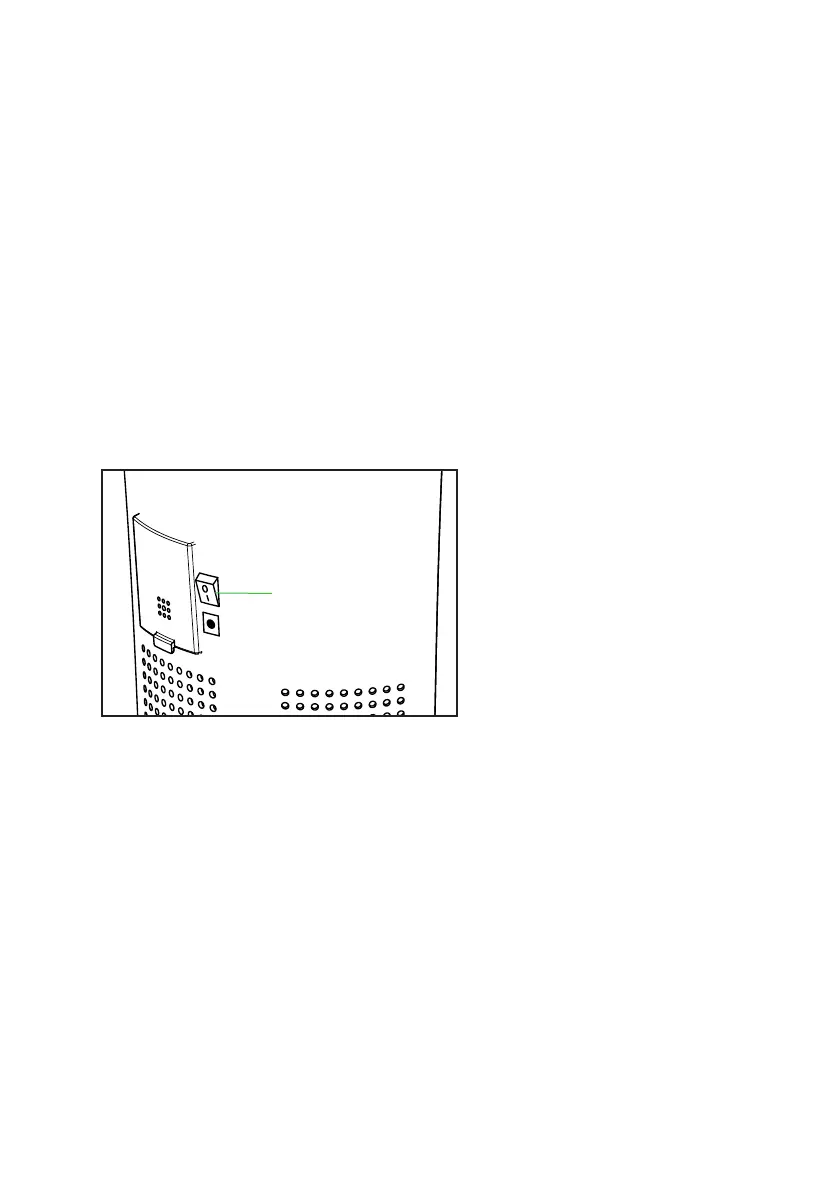
6. Turn master switch to “on” position. The master switch is located on
the back of the purier above the power adapter inlet.
7. Push power button on and the purier will turn on in “Auto” mode. It
will automatically adjust to existing air quality.
Master Switch


 To Next Page