10
Maintenance
Warning! Disconnect power cord before attempting maintenance.
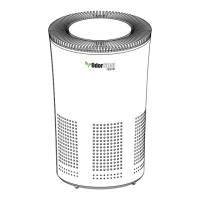
The OSAP5 is designed to provide years of trouble-free service. There are
a few things that can be done to make sure your purier is operating at
optimum performance.
HEPA FILTER
Change or clean when lter replacement light blinks or whenever the
lter is degraded by build-up or damage. Filter may be vacuumed with
a soft bristle tip to remove build-up. Warning: lter may damage easily.
The life expectancy of the lter varies based on conditions of use, but it
is recommended that it be changed every 6 months if the purier is used
daily.
CLEANING PURIFIER
As needed, clean purier with a dust rag, damp cloth, or soft bristle
tip of vacuum to remove any build-up of debris. Removing the lter
is recommended in order to clean the inside of unit. Do not use any
chemicals to clean the purier.
PM 2.5 SENSOR
Clean at least monthly if purier is used daily. Open the PM 2.5 sensor
access door in the back of the purier by using a coin or a large tip at
head screw driver to gently pry the bottom of the door away from the
unit. Use a dry cotton swab to clean any debris from the sensor by
inserting swab and twisting. Do not use any detergents, chemicals, or
liquids to clean the sensor. Be careful to reinstall the foam lter when
resecuring the door.


 To Next Page