40 41
EN EN
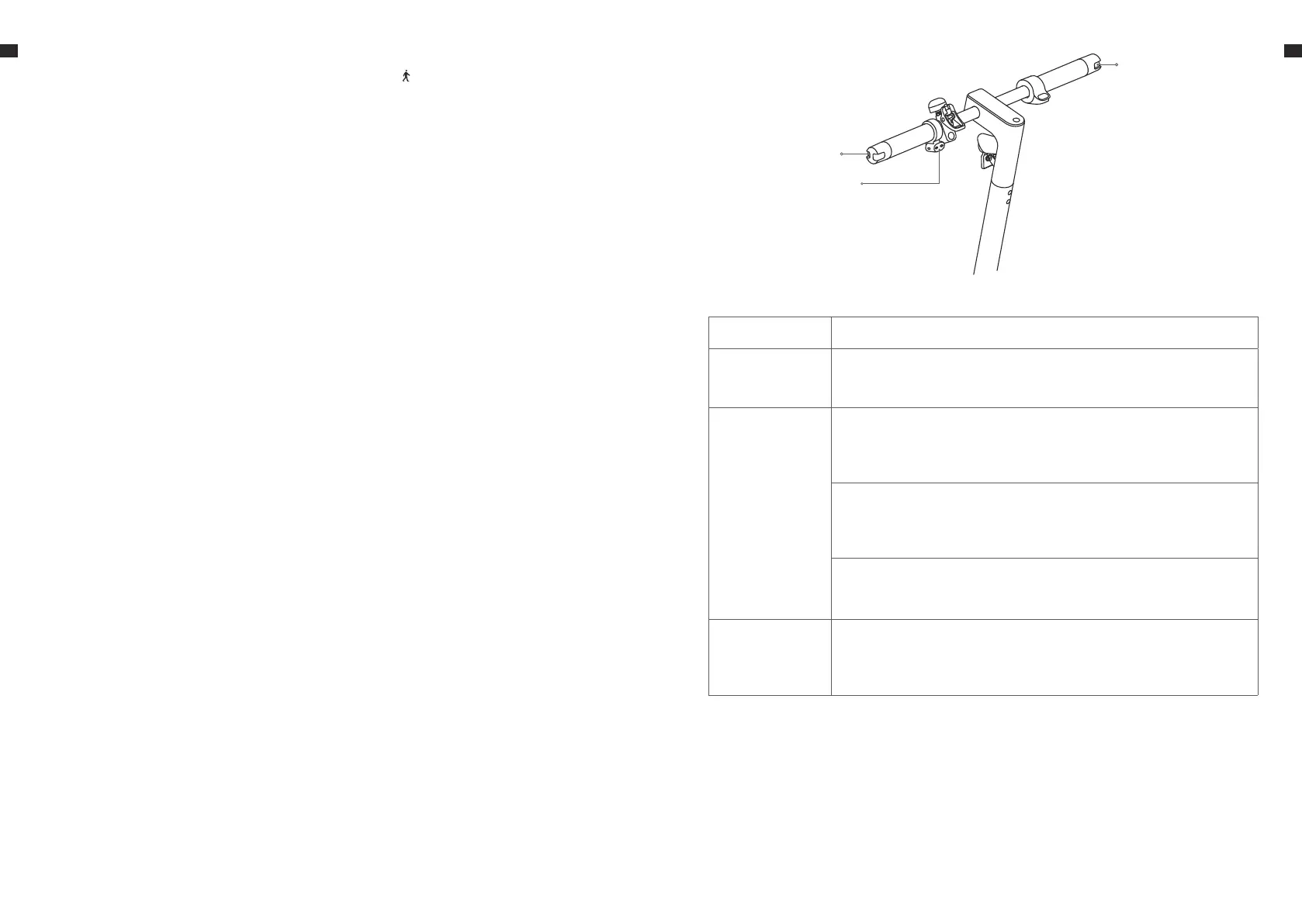
Right steering light
Steering light button
Left steering light
Button Function
Power on/o
Press the power button to turn the scooter on, and hold
the button for 2-3 seconds to turn the scooter o.
Riding mode
Press the
power button
twice to cycle
through the
modes.
Pedestrian mode
The pedestrian mode is limited to a speed of 6 km/h,
which is suitable for walking on the pavement.
"D" saving mode
The economic model allows a maximum speed of 15km/
h. Through the power saving mode, power can be saved
and cruising range can be increased.
Motion mode "S"
The sport mode is the default setting with a maximum
speed of 20 km/h.
Light
The front and rear lights are turned o by default. Press
the power button once to turn on the lights. Press the
power button again to turn o the lights.
6. Riding mode
These symbols indicate the current riding mode. is for pedestrian mode
(maximum speed 6 km/h), D is for standard mode (maximum speed 15 km/
h), and S is for sport mode (maximum speed 20 km/h).
7. Lock
When the icon lights up, it indicates that the scooter is locked. You can
unlock the scooter via the app.
8. Error notification
When the wrench icon displays red, it indicates that the scooter has an error.
9. Tire maintenance reminder
When the icon lights up, it indicates that it is time to maintain the tires. Check
the tire pressure and inflate it if necessary.
10. Battery lever indicator
The battery power is indicated by 5 bars, and each representing
approximately 20% of a full battery.
11. Power button
Press the button to turn the scooter on, and hold the button for 2 to 3
seconds to turn the scooter o.


 To Next Page