Pre-Charging
P/O Filament Driver PCB
CAP_NEG
CAP_NEG (Gnd)
PRE_CHRG*
Sheet 3
DS1
P5
1
K1, K3
Sheet 3
Sheet 3
Sheet 3
Over Voltage
Protection
R_DIS
AC_CAP_RTN
(Stator Transformer)
24V_INTERLOCK
24V_INTERLOCK
CAP_POS_F2
Sheet 3
K5
Resistor
Network
NC
Pre-charging (sheet 4)
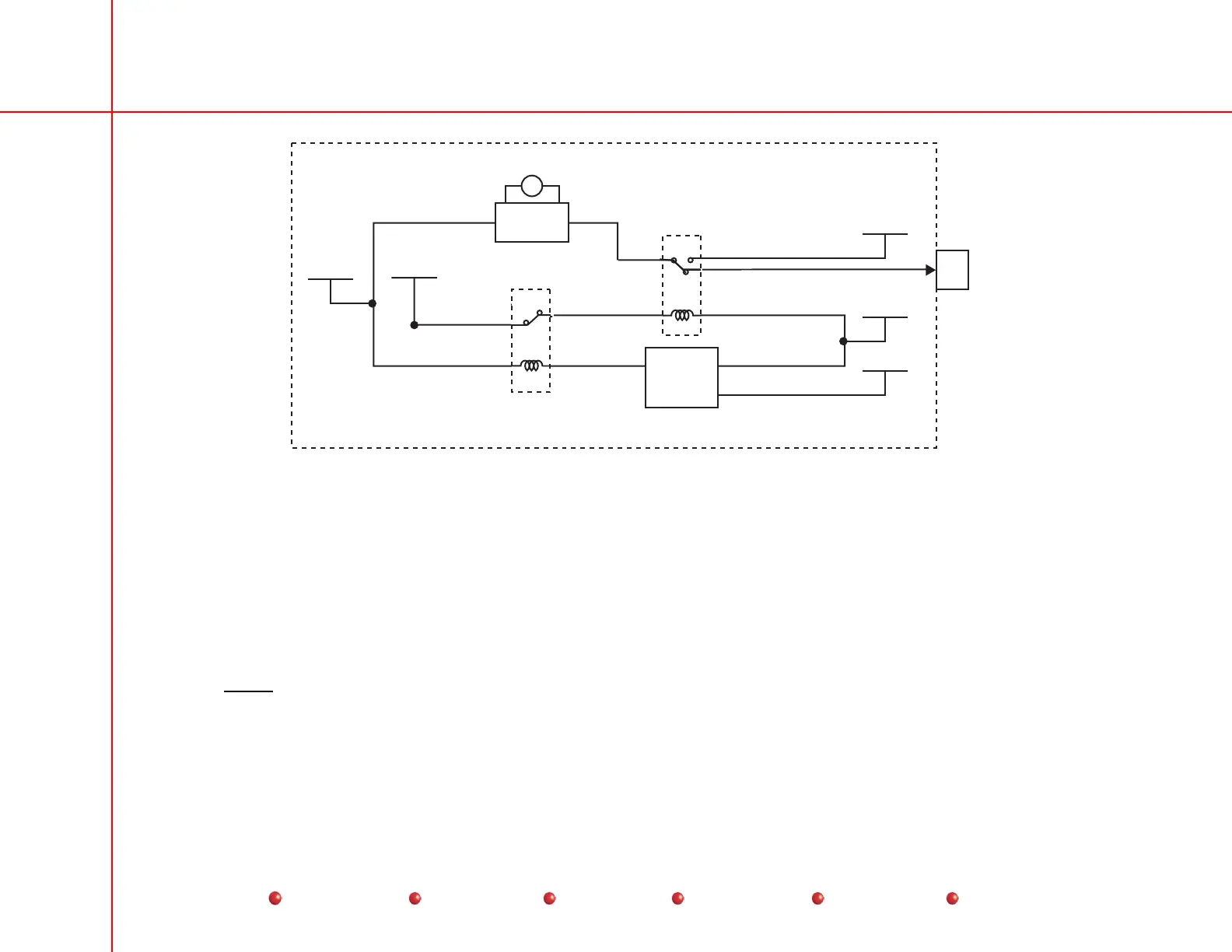
The PRE-CHRG* signal from the X-Ray Controller PCB turns on relays K1/K3 on the Filament Driver PCB, opening a path of
115VAC output from the secondary of the stator transformer to the Filament Driver PCB. Charging current is generated by
applying this voltage to a charge pump arrangement of rectifiers on the Filament Driver PCB. When this voltage reaches a few
volts above the battery voltage, relays K2/K6 (see sheet 3) combine to turn on contactor K2 on the Capacitor/Power Module,
which switches battery power directly across the capacitor bank. Completion of Precharge disables software control to prevent a
subsequent software failure from turning off the pre-charge relays while the system is in normal use.
R_DIS is connected when relays K1/K3 are off. AC_CAP_RTN is connected wehn K1/K3 are turned on. PRE_CHRG* is
connected unless
overvoltage protection turns on relay K5.
As a safety feature, the X-ray Controller PCB also monitors the pre-charging process. In that event, the system will indicate a pre-
charge failure. If the voltage at the reservoir capacitor fails to reach the battery voltage, or if it exceeds the maximum of 250V,
software will disable pre-charging. If fuse F2 on the Capacitor/Power Module is blown, the software will typically disable pre-
charging, but will not show the error message until after it completes booting up.
5
Service
Periodic Maintenance
Contents
Schematics
Illustrated Parts
Installation


 To Next Page
 Loading...