Calibration
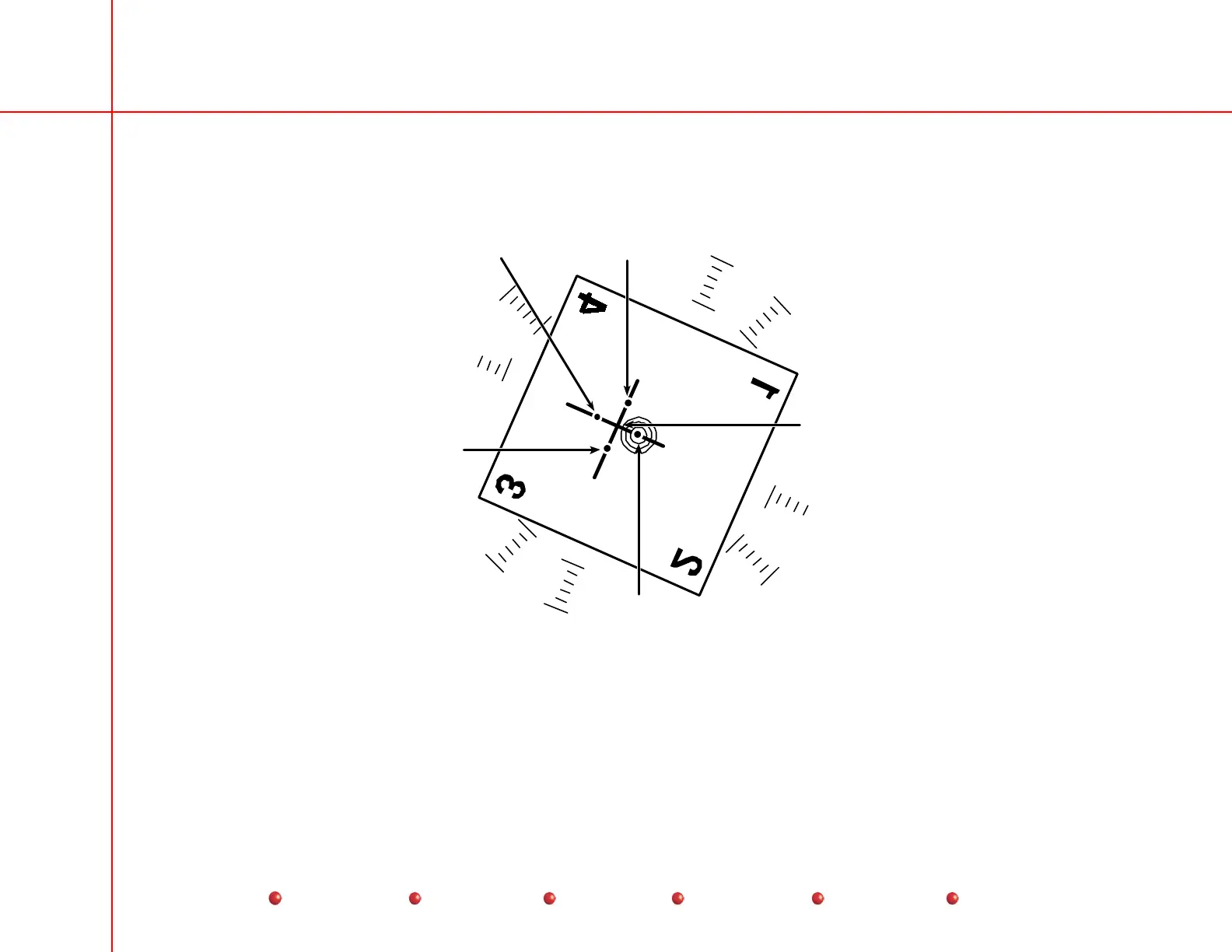
f. Rotate the camera another 90º clockwise (270ºfrom full counter clockwise) and make another exposure, mark the center
of the beam alignment tool on the monitor as indicated on the following diagram.
Full CCW
Mark
Rotational
Center of the
camera
+270° CW
Mark
+180° CW
Mark
+90° CW
Mark
Calibrating Camera Decentration
g. Draw two lines intersecting the 4 marks made on the monitor, the point where the lines cross each other is the rotational
center of the camera.
h. Rotate the camera to the center of its rotational range.
52
Service
Periodic Maintenance
Contents
Schematics
Illustrated Parts
Installation



 To Next Page