Replacement
Battery Packs
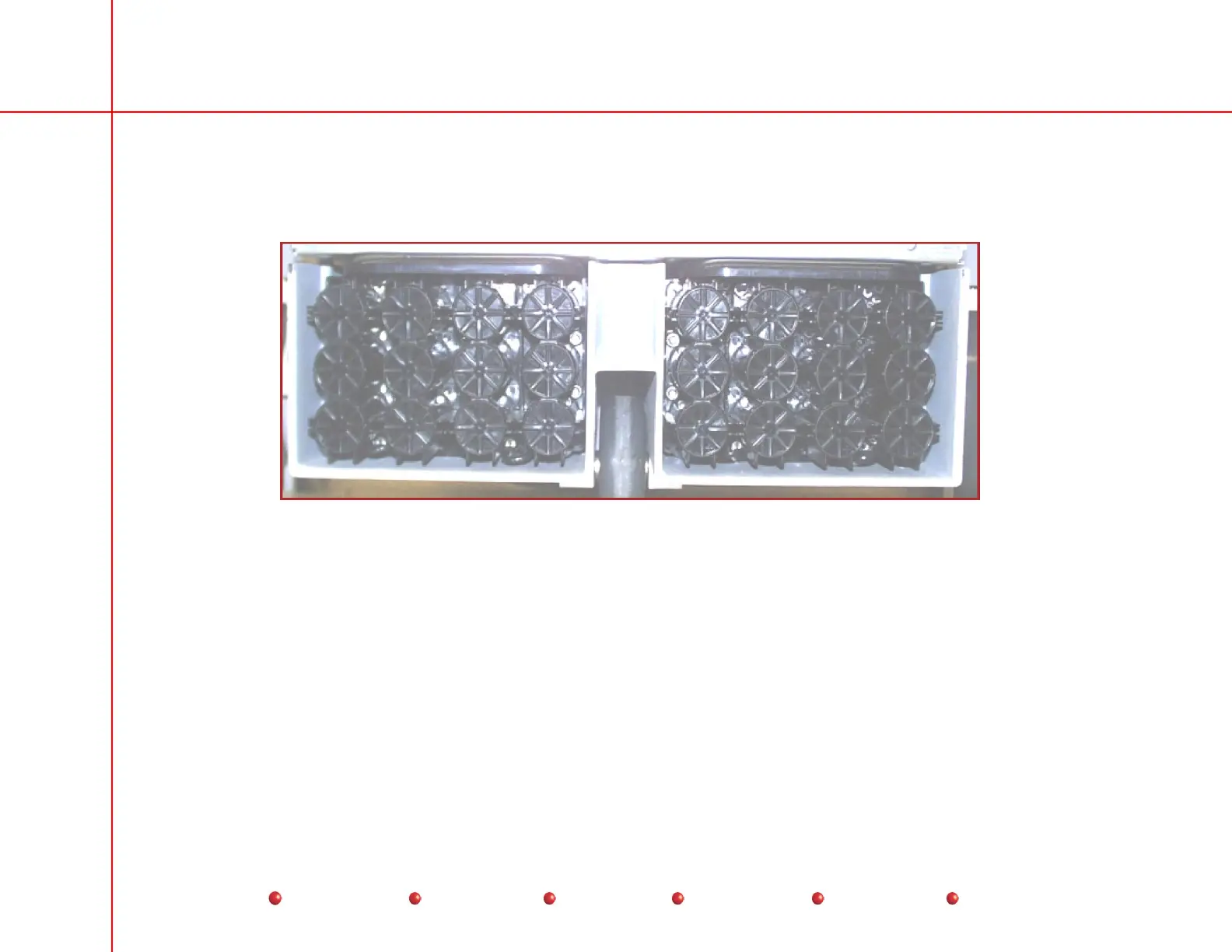
The two identical Battery Packs mount in cavities at the base of the C-Arm as shown below:
Battery Packs
Follow this procedure to replace the Battery Packs:
1. Power down the system and remove the Workstation’s power plug from the facility’s AC outlet.
2. Disconnect black Battery Pack wire terminal from P1A on the Capacitor/Power module.
3. Disconnect red Battery Pack wire terminal from P3B on the Capacitor/Power module.
4. Near the Capacitor/Power module, you will notice a red and black wire connected together, and secured by a plastic strap.
Notice also that both of these wires have blue terminals. Pull these wires from under the plastic strap and disconnect them
from each other.
5. Stuff all four disconnected wires back into the battery compartments.
6. Remove the two U-shaped spacers that hold the Battery Packs in each battery compartment.
41
Service
Periodic Maintenance
Contents
Schematics
Illustrated Parts
Installation



 To Next Page