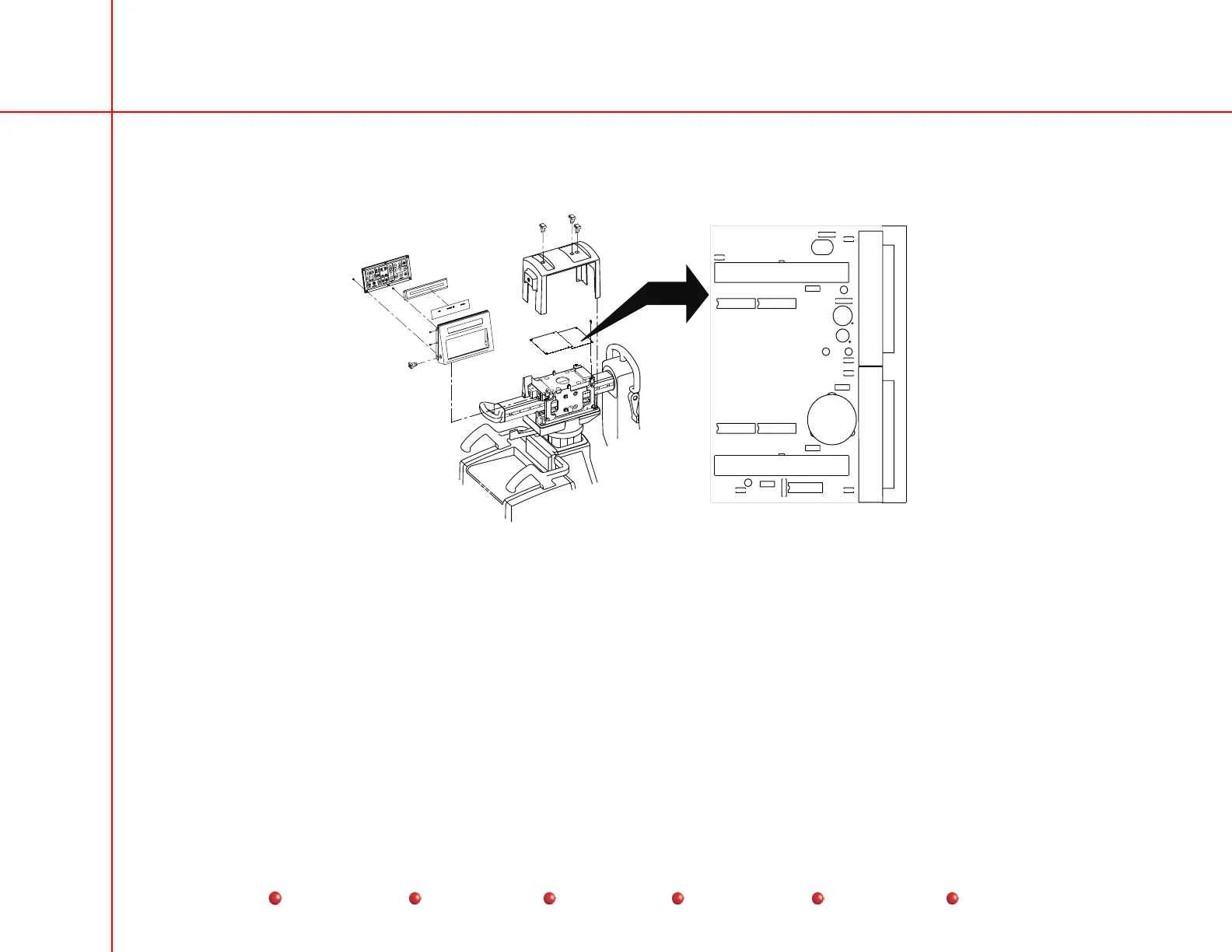
Replacement
Control Panel Processor I/O PCB
CONTROL PANEL PROCESSOR I/O
OEC MEDICAL SYSTEMS INC.
ASSY 00-878491
GND
GND
+12V
+5V
20
37
1
19
20
37
1
19
49
1
2
50
49
1
2
50
U1
P4
P5
E2
E1
RP4
RP3
RP1RP2
C10
C9
CB
C7
C6
C5
C4
R4
R1
R2
R3
LS1
TP4
TP3
TP2
TP1
P1
P2
C11
C2
C3
FL1
C1
Control Panel Processor I/O PCB
Follow these steps to replace the Control Panel Processor I/O PCB:
1. Turn off Workstation and disconnect its power plug from the AC outlet.
2. Remove Cross Arm Bearing cover as described in the Equipment Covers section of this chapter.
3. Disconnect wires from connectors on the CPP I/O PCB. Tag each wire
4. Remove two screws that secure the CPP I/O PCB to the chassis.
5. Remove the CPP I/O PCB from its connection to the CPP PCB.
54
Service
Periodic Maintenance
Contents
Schematics
Illustrated Parts
Installation



 To Next Page