40
6. Control panel
6.5. Night-mode button
By pressing the button, you can activate / deactivate the night
mode. When the button lights up, night mode is activated. The night
mode is intended to be used only for heating systems with this
functiion. The default setting for night mode is deactivated.
The night mode cannot be activated if the pump is
running with constant speed I, II and III or being
controlled by a PWM signal.
Note
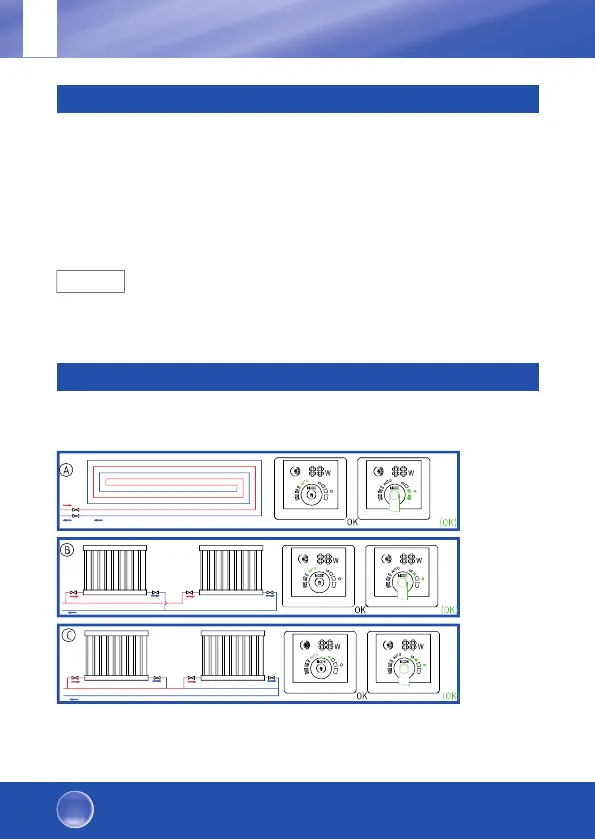
7. Mode settings
7.1. Mode settings depending on the heating system
Default setting = AUTO (self-adaptive mode)
GB
OEG Heating and solar circulation pumps
Highly efficient. Simple. Good!



 To Next Page