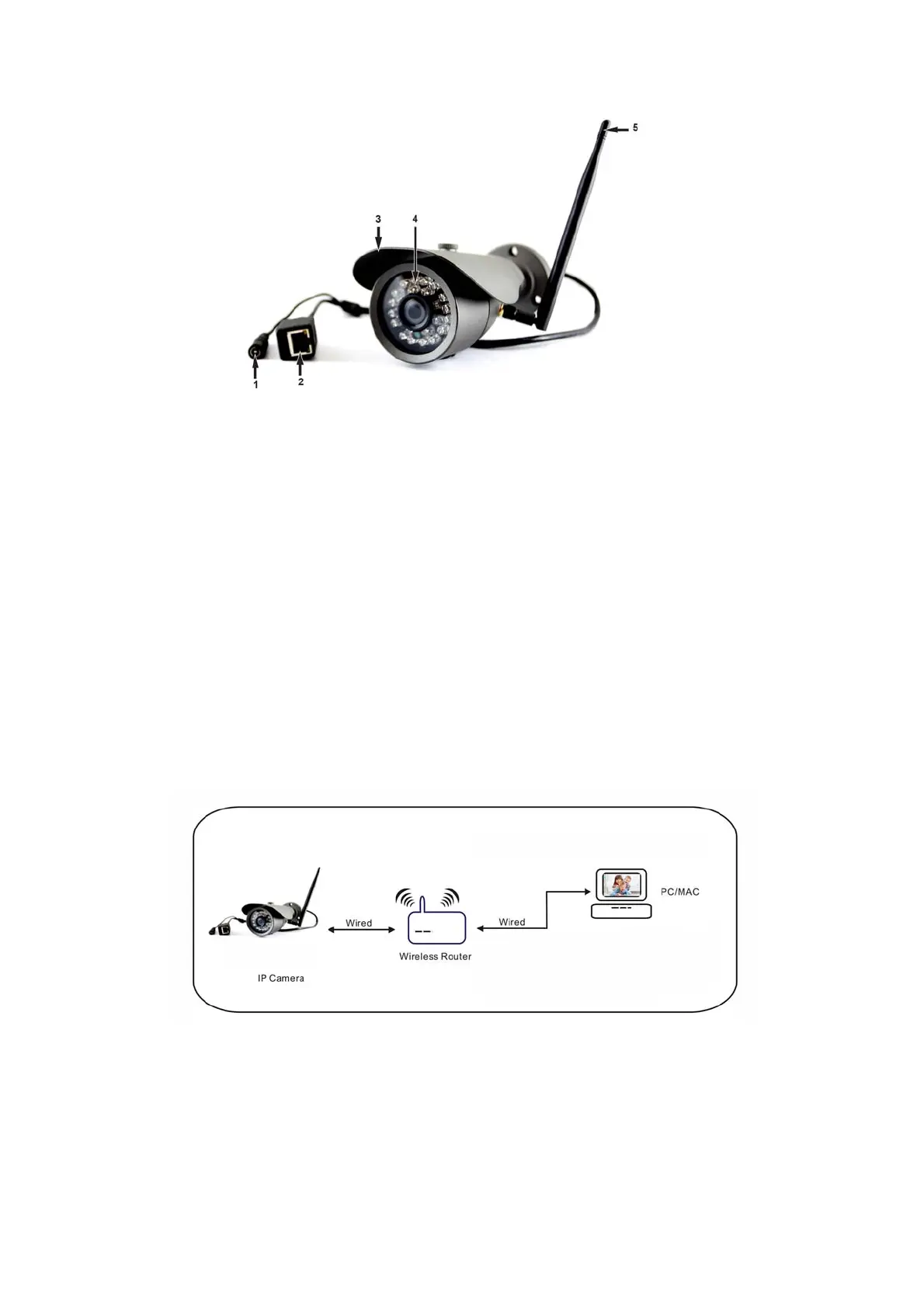
1. DCpowersupplyin
2. Networkconnector
3. Waterproofcase
4. LEDs
5. WiFiantenna
HardwareInstallation
1. Installtheantenna.
2. ConnecttheDCpowercordtothecameraDCconnectorandplugtheACadapterintoalive
mainsoutlet.
3. Connectthecameraandarouter,modemorswitchwithanetworkcable.
4. Checkthenetworkconnectorifthegreenlightstaysonandtheyellowlightblinksasthedatais
transmitted.Iftherearenolightson,makesuretheconnectionismadeproperly.
5. Yourcomputershouldbeconnectedtothesamerouter,modemorswitchtoconfigurethe
cameraforfirsttime.
SoftwareInstallationandset‐up
1. CopythefilesintheincludedCDtotheHDDinyourcomputer.
2. GotothefolderintheHDDthatyoucopiedto.
3. Double‐clickGeneralDeviceManagertoinstallthedevicemanagerprogramforSC10IP.



 To Next Page