09
Pair with Other Device
If you want to pair N17 Wireless earbuds with a new device, you could:
1. Disconnect “N17” from the last paired device, search and connect
“N17” on your new device, it will work properly.
2. You can also press the reset button for 5s to reset the earbuds,
then search and connect “N17” on your new device.
Mono Mode (Only Left/Right Earbud is being Used)
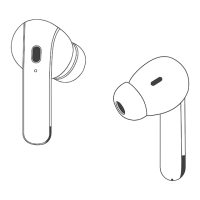
You can use one earbud alone, leave another earbud in the
charging case.
When in Dual mode, put one earbud into the charging case.
Or only take one earbud out of the charging case, then search
& connect "N17" on your device.
★
★
◉ Disconnect the bluetooth on your device, press & hold either
earbud for 5s, they will flash Red light and both earbuds will power
off at the same time.
Manually Power on/o
If the earbuds are not connected to your device over 5 minutes,
the earbuds will power off automatically.
◉ If the earbuds are out of the charging case and power off, just
press & hold them ( both earbuds ) for 2s, they will power on.


 To Next Page