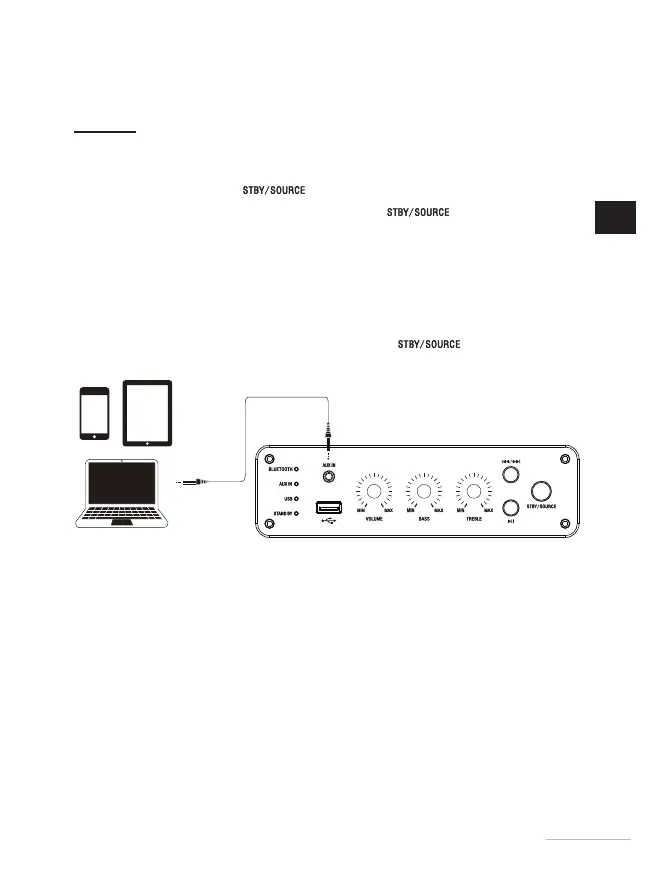
connecting to an audio source
Direct connection to an audio playback device
1. Briey press the button to turn on your speaker.
2. To select the auxiliary mode, press the button
until the green AUX
IN indicator light goes on.
3. Plug the 3.5mm audio connector of a jack/jack cable (not provided) into an
audio source such as an MP3/MP4 player, mobile phone, etc.
4. Plug the other end of the cable into the speaker’s AUX IN jack.
5. Start the player and adjust the volume on your audio source or on the speaker.
6. To turn off the device, press and hold the button
for 3seconds.
25
EN
25


 To Next Page