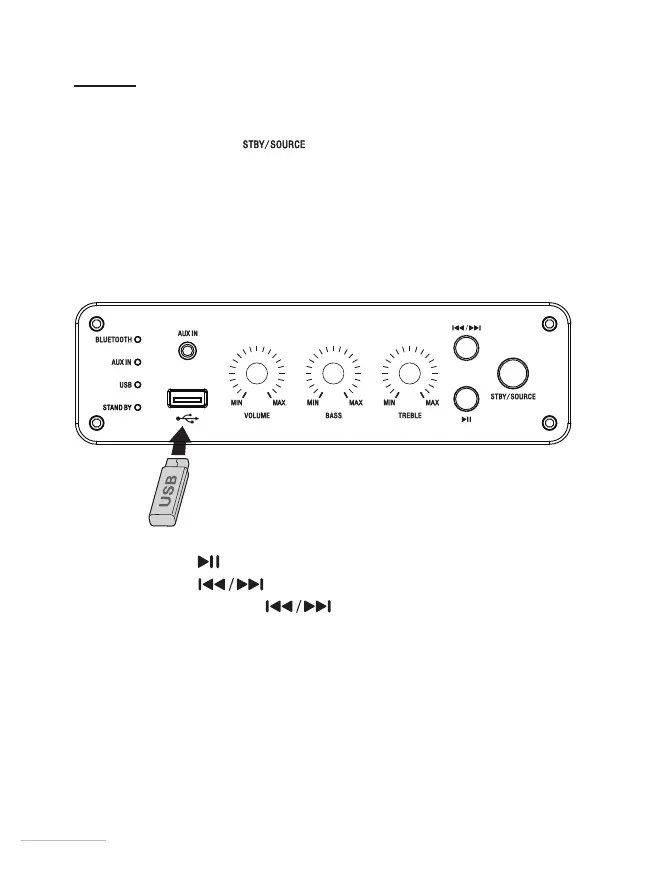
USB connection
1. Briey press the button to turn on your speaker.
2. Insert your removable USB device into the USB port. Make sure that your audio
les are saved in MP3 format.
3. The speaker will switch to USB mode and an orange USB indicator light will
come on.
4. Playback begins with the rst track of the rst memorised album.
5. Press the button briey to pause or resume playback.
6. Press the button
to access the next track.
7. Press and hold the button
for 3seconds to access the previous
track.
2828


 To Next Page